

MyEmailViewer - Eml viewer and msg viewer

Áttekintés
Email viewer for local .eml files and .msg files in your browser!
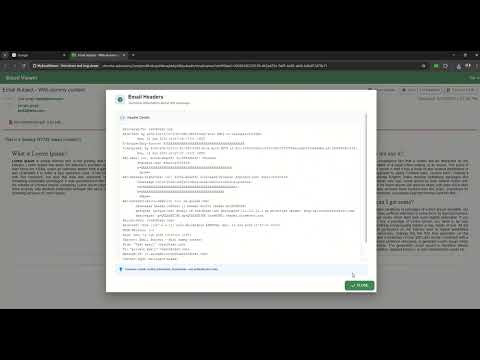
⭐ MyEmailViewer – Open .eml & .msg Files Instantly Open email files beautifully and securely right inside your browser — no software, no setup, no data leaving your device. Just click, drag, and read. ✨ Why Users Love MyEmailViewer 📂 Open .eml & .msg Files Seamlessly No conversions. No Outlook required. Just open and view. 🛡️ Built-In Email Protection • Removes malicious scripts • Blocks unsafe content • Smart link protection for phishing alerts 🔒 100% Local Processing Your emails never leave your computer. Zero uploads. Zero tracking. Zero risks. 🎨 Beautiful Modern Reader Clean layout and optimized for long-form reading. 🖱️ Drag & Drop Simplicity Drag your file, or click the extension icon. Instant viewing. 🚀 Features at a Glance ✔ View full email content ✔ Download and view attachments ✔ Load embedded images on demand ✔ View headers & metadata ✔ Print emails ✔ Save as HTML ✔ Convert .msg → .eml ✔ Works completely offline Max allowed size is 45mb. Free version is limited to maximum email size of 5mb. 🔐 Permissions — Explained Clearly & Transparently MyEmailViewer only requests essential permissions, and nothing more. Required Permissions • tabs — Opens email files in a new browser tab for viewing • activeTab — Accesses the current email file only when you interact with the extension • contextMenus — Adds right-click options so you can open email files or email links with MyEmailViewer • storage — Saves your preferences from the options page (display, behavior, and UI settings) • Optional Host Permission (User-Controlled) Allows MyEmailViewer to open email links directly from web pages. This permission is only enabled if you choose to allow it. Optional permissions are requested only when a feature needs them — never automatically. 👉 If you don’t allow, the extension will still work perfectly for local .eml and .msg files. 🛡️ Your Privacy Comes First ✔ Emails are processed locally in your browser ✔ No browsing history is tracked ✔ No email data is uploaded or shared ✔ No background access without user action You’re always in control of what MyEmailViewer can access. --- More features to come!
5/4,622 értékelés
Részletek
- Verziók1.0.2.1
- Frissítve2026. január 10.
- FunkciókAlkalmazáson belüli vásárlásokat is kínál
- Méret5.97MiB
- NyelvekEnglish
- FejlesztőWebhely
E-mail
emailviewerextension@gmail.com - Nem kereskedőEz a fejlesztő nem azonosította magát kereskedőként. Felhívjuk az Európai Unióban élő fogyasztók figyelmét arra, hogy a fogyasztói jogok nem érvényesek az Ön és a fejlesztő közötti szerződésekre.
Adatvédelem

A(z) MyEmailViewer - Eml viewer and msg viewer az alábbiakat közölte a felhasználók adatainak gyűjtésével és felhasználásával kapcsolatban. Erről a fejlesztő következő dokumentumában találhat részletesebb információkat: privacy policy.
A(z) MyEmailViewer - Eml viewer and msg viewer a következőket kezeli:
Ez a fejlesztő kijelenti, hogy az Ön adatai:
- Nem kerülnek értékesítésre harmadik félnek az engedélyezett használati eseteken kívül.
- nem lesznek felhasználva vagy átadva olyan célokból, amelyek nem kapcsolódnak az elem alapvető működéséhez;
- nem lesznek felhasználva vagy átadva hitelképesség-meghatározási vagy kölcsönzési célokra.