


總覽
Remember my Wordle games
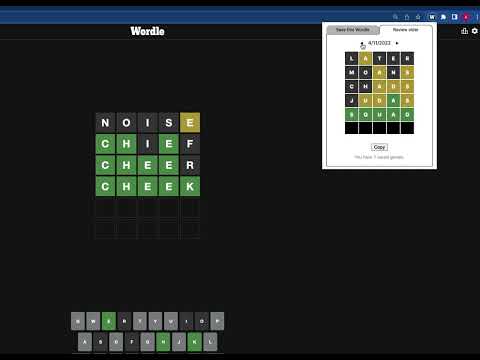
Version 1.14 sets a new maximum count of saved games (now 90) Version 1.13 sets a new maximum count of saved games (now 93) Version 1.12 fixes a bug with the arrow keys. Version 1.11 displays your average score. The New York Times "Wordle" game is wildly popular! But one thing they left out was allowing you to see your games from previous dates. This extension solves that problem by letting your 90 most recent games. You don't have to create a login because the extension stores your game records right in Chrome's in-browser storage. And it syncs across your devices where you've installed Chrome and this extension. It's super easy to use! Just click on the extension's icon to bring up the window. If you activate it while on the Wordle page, you'll have the option to save the current game. You can save only once per day. You access your saved games by clicking on the right-hand tab. Use the left and right arrows to navigate saved games forward or backward in time. You can also copy a saved game to the clipboard, and this will include the full state — all the words you played — not simply the color codes that you get from the game's share function. Once you've saved 365 games, the oldest game will be discarded when you save a new one. IMPORTANT: If you uninstall the extension, your history is lost and it is not recoverable if you reinstall.
5 分 (滿分 5 分)2 個評分
詳細資料
- 版本1.14
- 已更新2023年5月22日
- 提供者Frederick Hewett (Cambridge, MA)
- 大小25.66KiB
- 語言English
- 開發人員
電子郵件
fred.hewett@gmail.com - 非交易商這位開發人員並未表明自己是交易商。歐盟地區的消費者請注意,消費者權利不適用於你和這位開發人員之間簽訂的合約。
隱私權

這位開發者就你的資料做出下列聲明:
- 除經核准的用途外,不會將你的資料販售給第三方
- 不會基於與商品核心功能無關的目的,使用或轉移資料
- 不會為了確認信用度或基於貸款目的,使用或轉移資料