

My Palette for Flaticon — Free Custom Colors

Overview
Save unlimited custom colors for Flaticon icons, free. Apply them in one click and auto-track your color history.
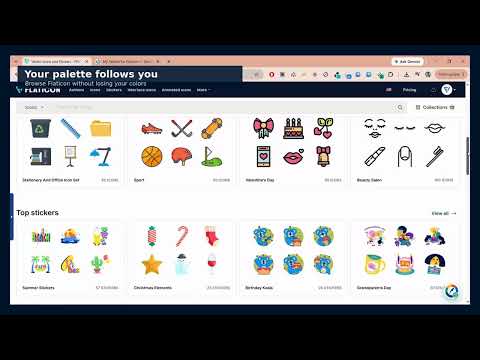
My Palette for Flaticon helps you save, organize, and reuse custom colors while editing icons on Flaticon. Save unlimited colors to your personal palette and apply them to icons with one click. Your palette appears directly inside Flaticon’s icon editor and is also available through a floating panel and the extension toolbar. The extension automatically records every color you apply or select using Flaticon’s color picker, making it easy to find and reuse previous colors. Key features: • Save unlimited custom colors • Apply saved colors to Flaticon icons with one click • Automatically track color history • Name, reorder, copy, and delete colors • Access your palette without leaving Flaticon • Import and export your palette as JSON • Enable or disable the floating palette button • No account, advertising, analytics, or subscription All palette data is stored locally in your browser. Palette colors and settings can sync through Chrome Sync when enabled. No data is sent to an external server. My Palette for Flaticon is free, open source, and designed for users who regularly recolor icons and want a faster way to maintain consistent brand colors. This extension is independent and is not affiliated with, endorsed by, or connected to Flaticon or Freepik Company.
0 out of 5No ratings
Details
- Version1.1.3
- UpdatedSeptember 4, 2026
- Size1.87MiB
- LanguagesEnglish
- Developer
Email
me@mansoour.com - Non-traderThis developer has not identified itself as a trader. For consumers in the European Union, please note that consumer rights do not apply to contracts between you and this developer.
Privacy

My Palette for Flaticon — Free Custom Colors has disclosed the following information regarding the collection and usage of your data. More detailed information can be found in the developer's privacy policy.
My Palette for Flaticon — Free Custom Colors handles the following:
This developer declares that your data is
- Not being sold to third parties, outside of the approved use cases
- Not being used or transferred for purposes that are unrelated to the item's core functionality
- Not being used or transferred to determine creditworthiness or for lending purposes
Support
For help with questions, suggestions, or problems, visit the developer's support site