


Overview
Private, local-first notepad in Chrome's side panel — rich notes, checklists & instant search beside any tab. No account, offline.
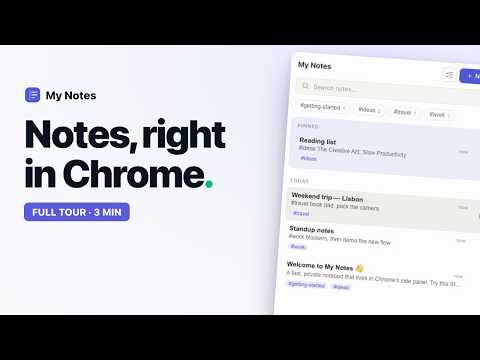
My Notes is a fast, private notepad that lives in Chrome's side panel — right beside whatever you're working on. Open it with one click and your notes follow you across every tab, no window juggling. Local-first by design. Everything you write is saved straight to your browser on your own device. There's no account to create, no sign-in, and nothing is uploaded or tracked. It works fully offline. A real editor, not a plain text box. Write in rich blocks — headings, checklists, tables, code and images — with a slash menu and Markdown shortcuts. Type "/" for commands or "[]" for a task. Every keystroke auto-saves. WHAT YOU GET • Lives in the side panel — pinned open beside any tab • Save from any page — right-click selected text to send it straight to your notes • Rich block editor — headings, lists, tables, code, images • Instant full-text search across all your notes • Markdown & JSON import and export — your notes stay portable • Dark mode • Local revision history with restore • Optional sync to YOUR OWN cloud PRIVATE BY DEFAULT Your notes are stored locally in your browser profile. The extension has no host permissions, so it cannot read the web pages you visit. We run no servers and collect nothing. OPTIONAL SYNC, ON YOUR TERMS Sync is off by default. If you turn it on, a copy of your notes is stored in a private, app-specific folder in your own Google Drive or Dropbox — a folder only this app can see. Your notes are never sent to us or any third party. Disconnect any time. Free to use. No ads, no analytics, no upsell. Privacy policy: https://mynotes.amenophis.dev/privacy Terms of use: https://mynotes.amenophis.dev/terms
5 out of 513 ratings
Details
- Version0.8.0
- UpdatedAugust 9, 2026
- Size2.08MiB
- LanguagesEnglish
- DeveloperWebsite
Email
info@applex.co - Non-traderThis developer has not identified itself as a trader. For consumers in the European Union, please note that consumer rights do not apply to contracts between you and this developer.
Privacy

My Notes — Side Panel Notepad has disclosed the following information regarding the collection and usage of your data. More detailed information can be found in the developer's privacy policy.
My Notes — Side Panel Notepad handles the following:
This developer declares that your data is
- Not being sold to third parties, outside of the approved use cases
- Not being used or transferred for purposes that are unrelated to the item's core functionality
- Not being used or transferred to determine creditworthiness or for lending purposes
Support
For help with questions, suggestions, or problems, please open this page on your desktop browser