

My Nav
3 个评分
)
概述
Convert MD file to a navigation site
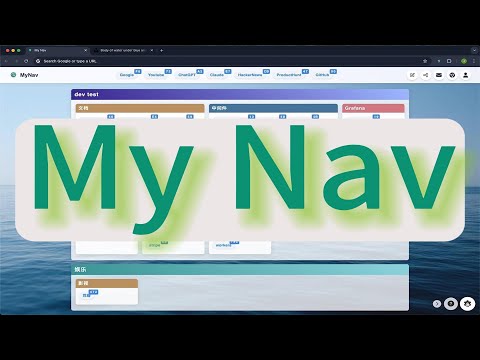
MyNav: Your Personalized Navigation Hub Transform your new tab into a powerful, customizable navigation center with MyNav. This intuitive Chrome extension allows you to organize and access your favorite websites with unprecedented ease and efficiency. Key Features: - Markdown-based customization: Easily create and edit your navigation structure using simple Markdown syntax. - Smart keyboard shortcuts: Navigate to your favorite sites with quick, automatically generated two-key shortcuts. - Sleek, responsive design: Enjoy a clean, modern interface that adapts to your screen size and preferences. - Custom backgrounds: Personalize your new tab page with images or gradients of your choice. - Efficient link management: Organize your links into attractive sections for better overview and access. - Sharing capabilities: Share your curated navigation hub with others (premium feature). - Cross-device sync: Access your personalized navigation from any device (with subscription). MyNav is perfect for professionals, students, or anyone looking to boost their browsing productivity. Say goodbye to cluttered bookmarks and hello to a streamlined, efficient web navigation experience. Upgrade to our premium plans for additional features like cloud sync, sharing, and more. Try MyNav today and revolutionize the way you browse!
5 星(5 星制)3 个评分
详情
- 版本2.0
- 上次更新日期2025年11月11日
- 功能提供应用内购商品
- 提供方qcrao
- 大小1.01MiB
- 语言English (United States)
- 开发者
邮箱
qcrao91@gmail.com - 非交易者该开发者尚未将自己标识为交易者。欧盟地区消费者须知:消费者权利可能不适用于您与该开发者达成的合约。
隐私权
该开发者已声明,您的数据:
- 不会因未获批准的用途出售给第三方
- 不会为实现与产品核心功能无关的目的而使用或转移
- 不会为确定信用度或放贷目的而使用或转移