

Mute Tab

Overview
Mute or unmute any tab in one click. Auto-mute noisy sites on load, silence every background tab, keep your browser quiet.
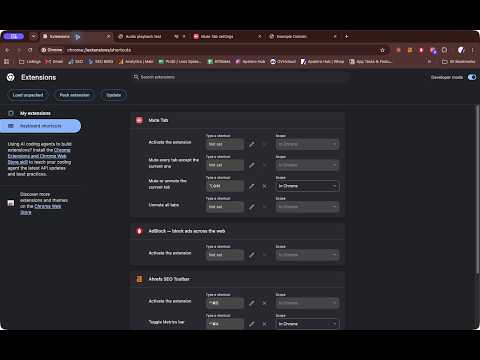
Control noisy tabs from one toolbar popup. Mute Tab combines tab audio controls, per-domain auto-mute rules, context-menu actions, and keyboard shortcuts. One click to mute or unmute any tab. Open the toolbar popup and you see exactly the tabs that matter: the ones making noise and the ones you have already muted, each with a switch. No hunting through forty tabs for the one that started autoplaying an ad. Set it and forget it. Add a domain to your auto-mute list and every tab that ever loads it opens silent. News sites with autoplay video, that one forum, a streaming page you keep in the background. Subdomains are covered automatically. Built for speed: - One-click mute/unmute from the popup - Auto-mute rules per domain, including subdomains - Right-click any page: mute this tab, mute all other tabs, unmute all, or "always mute this site" - Keyboard shortcuts (mute the current tab, mute everything else, unmute all) - Mute all / Unmute all in one tap - A toolbar badge that counts your muted tabs Private by design. Mute Tab makes no network requests and collects no data. It never reads the content of your pages. Your auto-mute list and badge preference use Chrome's built-in synced storage, which can sync settings between your signed-in browsers. The developer cannot access them. No account, no sign-in, no tracking. Install it and it works.
0 out of 5No ratings
Details
- Version0.1.0
- UpdatedSeptember 30, 2026
- Size24.65KiB
- LanguagesEnglish
- Developer
Email
apaterogroup@gmail.com - Non-traderThis developer has not identified itself as a trader. For consumers in the European Union, please note that consumer rights do not apply to contracts between you and this developer.
Privacy

This developer declares that your data is
- Not being sold to third parties, outside of the approved use cases
- Not being used or transferred for purposes that are unrelated to the item's core functionality
- Not being used or transferred to determine creditworthiness or for lending purposes