


Overview
This extension is to allow you to easily collect images / videos / web pages themselves / web screenshots from any web page into…
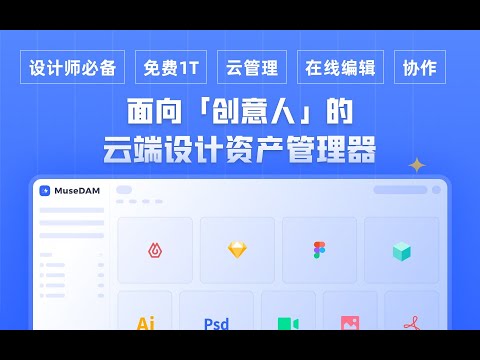
This extension is to allow you to easily capture everything from web pages inspired images / videos / svg / url / screenshots into MuseDAM. How to use ☀️: ▶︎1. Drag and drop Drag and drop the images/videos you want to capture from the web page and put them into the small box of MuseDAM. ▶︎2. Right clickå Right click on the image/video you want to capture and select "Capture to MuseDAM". ▶︎3. Screenshot / Frame Screenshot You can take a screenshot of some elements, a full page scrolling screenshot, a screenshot of the visible area, and click on the MuseDAM plugin in the upper right corner to select the function you need in the menu. ▶︎4. Batch Capture Click "Batch Capture" in the menu to get the highest resolution images that have been loaded on the current web page, and then select the ones you need to complete the capture with one click. ▶︎5. Save page Save this web page directly to MuseDAM to visually manage your web bookmarks; ☀️What is MuseDAM? A cloud-based asset manager for creatives that makes it easy to capture inspiration, manage materials, share files, collaborate in teams... All-device accessibility, global acceleration; Online preview of 70+ formats, online editing of design source files; Encrypted sharing, easy dumping Team collaboration: real-time sharing, tagging system management, data insight, permission management... Rich metadata, multi-dimensional filtering, search, filtering, intelligent folder auto-categorization Intelligent tagging, automatic labeling AIGC tools: train your own AI models, 200+ official models available for use, super resolution... ...... Translated with www.DeepL.com/Translator (free version)
4.4 out of 521 ratings
Details
- Version2.1.14
- UpdatedFebruary 5, 2026
- Size1.27MiB
- Languages3 languages
- DeveloperWebsite
Email
tezign018@gmail.com - Non-traderThis developer has not identified itself as a trader. For consumers in the European Union, please note that consumer rights do not apply to contracts between you and this developer.
Privacy

MuseDAM Collector has disclosed the following information regarding the collection and usage of your data. More detailed information can be found in the developer's privacy policy.
MuseDAM Collector handles the following:
This developer declares that your data is
- Not being sold to third parties, outside of the approved use cases
- Not being used or transferred for purposes that are unrelated to the item's core functionality
- Not being used or transferred to determine creditworthiness or for lending purposes
Support
For help with questions, suggestions, or problems, visit the developer's support site