

Share Post to Multiple Facebook™ Groups | Multiple Group Share Assistant

Overview
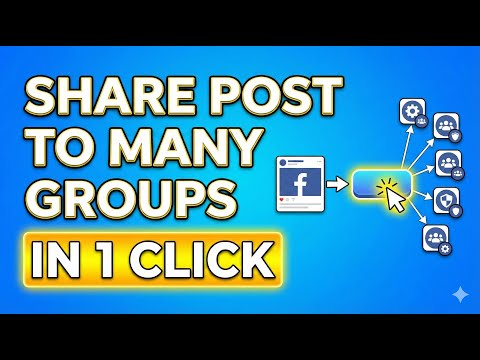
Safely share a posts to multiple Facebook™ groups with one click. Smart time intervals keep your account safe and save time.
Manually sharing to Groups on Facebook™? Let this FREE, SAFETY FIRST chrome extension mimic your actions and share to groups on your behalf. It gets your content to hundreds of groups effortlessly, while making sure that your account stays in perfect standing, Unlike other apps, it doesn't even require access to your Facebook™ account! It just mimics real human behavior keeping your account as safe as it was when you were manually doing all this hard work. 🔥And now with Group Presets, you can even save your list of groups into a Group List Presets so you don't have to find all the relevant groups for each of your campaigns. Think of it like a Group Audience you want to share with! MGSA (Multiple Group Share Assistant) is the ultimate productivity tool for community managers, influencers, and business & Real etstae agents. Instead of navigating to 50 or more different groups and clicking "Share" 50 times, do it all in one click while you work on other tasks. 🚀 WHY INSTALL MGSA? Sharing content manually is repetitive, boring, and kills your productivity. Whether you are announcing an event, promoting a marketplace listing, or managing community updates, MGSA streamlines the process so you can focus on engagement, not administration. 🔥 NEW IN V9 MGSA is now FREE FOREVER, however after your trial there will be a short watermark after each share, which can easily be removed with an extension of your license. 🔥 NEW IN V8 You can now combine multiple Group Lists so that you can organize your lists of groups and use them together. For example Real Estate New York - 25 Groups Real Estate USA - 20 Groups You can select both and even if there are 5 groups that are identical in both, it will only use the unique groups. 🔥 NEW IN V7.3 - Added compatibility for ALL users (MAC USERS PLEASE NOTE: It will change the User Interface of Facebook™ to the windows User interface as shown in the video demo of the extension - I personally prefer the windows version anyway) 🔥 NEW IN V7 - You can now Save Post Templates on the Facebook™ interface as well - User interface has been improved. - Fixed bug where it would post to the same group twice. 🔥 NEW IN V6 - EVERYTHING can be done directly on the Facebook™ interface. You can select and share including typing a blurb directly on the Facebook™ interface without needing to even click on the chrome extension! This is a GAME CHANGER as it makes the entire process very simple. -Added the ability to save the selected list of groups as a "Group List Preset" (Directly on the Facebook interface!) 🔥 NEW IN V5 - 1 Click Presets let you share directly from the Facebook™ page without even entering the extension at all with a predetermined set of groups and message. 🔥 NEW IN V4 - Group Presets now shows clearly when chosen - Users can create post presets directly from the main extension interface. - Enhanced safety to protect Facebook account by introducing a Random delay between each post which makes it even more humanlike sharing 🔥 NEW IN V3.9 Completely free AI use inside the chrome extension. Unlimited variation creation. 🔥 NEW IN V3.7 New! Now you can also create GROUP PRESETS - Save your list of groups to file so that you can share to that exact set of groups in 1 click! Improved User Experience - Its much more user friendly and guides you to get to the point where you are sharing to all your groups in 1 click. 🔥 NEW IN V2.5: FREE AI POST VARIATIONS Don't look like a spammer by posting the exact same text 100 times. Our new AI integration automatically generates unique variations of your post text! 100% Free for at least 3 days: No complicated API keys or subscriptions needed. Smart Context: The AI understands your post and rewrites it to keep it fresh. ✨ KEY FEATURES: ✅ Batch Selection Select all your target groups instantly. No more manual searching and clicking. ✅ Human-Like Safety Protection Keep your account safe. Unlike other bots that risk bans by posting too fast, MGSA uses Smart Safety Delays. We use randomized intervals between posts to simulate natural human behavior. ✅ Background Processing Set it and forget it. Queue your shares and switch tabs to continue working. MGSA runs in the background. ✅ Visual Dashboard Stay organized. See exactly which groups have been posted to, which failed, and which are pending in real-time. ✅ Smart Formatting Includes intelligent signature handling (V1.1) to ensure your contact info or call-to-action is always placed correctly, even when using AI variations. WHO IS THIS FOR? Social Media Managers: Manage client updates across local community pages. Event Organizers: Fill seats by blasting your event to relevant local groups. Local Businesses: Share promotions without spending all day on Facebook. Admins: Cross-post announcements to all your owned communities. LATEST UPDATES V2.6: Simplified onboarding for new users. V2.5: Added free AI Text Variations (No API key required!). V2.4: Expanded compatibility—now works on personal pages, business pages, and direct post links. V2.3: UI improvements (Larger checkboxes to prevent misclicks). V2.1: Added "Skip" button for faster processing. BEST PRACTICES FOR SAFETY While MGSA is powerful, we recommend using it responsibly to keep your account in good standing: Use the built-in AI variations to keep content unique. Allow the Smart Safety Delays to do their work. We recommend avoiding excessive bulk sharing (e.g., 1000 groups in a single day) to avoid platform flags. ⚠️ DISCLAIMER: Group Reach/MGSA is an independent project and is not affiliated with, endorsed by, or connected to Facebook™ or Meta Platforms, Inc. "Facebook" is a registered trademark of Meta Platforms, Inc. This tool is intended for legitimate community management. Excessive posting or spamming behavior may result in action against your account by the platform.
4.5 out of 517 ratings
Details
- Version9.1
- UpdatedMarch 16, 2026
- Size521KiB
- LanguagesEnglish
- DeveloperWebsite
Email
solaitions@gmail.com - Non-traderThis developer has not identified itself as a trader. For consumers in the European Union, please note that consumer rights do not apply to contracts between you and this developer.
Privacy

Share Post to Multiple Facebook™ Groups | Multiple Group Share Assistant has disclosed the following information regarding the collection and usage of your data. More detailed information can be found in the developer's privacy policy.
Share Post to Multiple Facebook™ Groups | Multiple Group Share Assistant handles the following:
This developer declares that your data is
- Not being sold to third parties, outside of the approved use cases
- Not being used or transferred for purposes that are unrelated to the item's core functionality
- Not being used or transferred to determine creditworthiness or for lending purposes
Support
For help with questions, suggestions, or problems, please open this page on your desktop browser