

MultiFind Pro

Overview
⚡ Multi-word search with colors, excludes, history
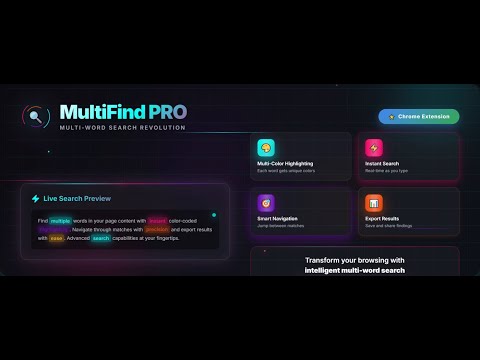
MultiFind Pro: Revolutionize Your Page Search Tired of basic Ctrl+F? MultiFind Pro upgrades your browser search with powerful multi-word highlighting, custom colors, and smart tools. Search multiple terms at once, exclude unwanted sections, and track your history—all in a sleek toolbar. Key Features: • Multi-Word Search: Highlight different words in unique colors for easy scanning. • Smart Options: Match case, ignore accents, and exclude elements (e.g., headers or ads) via CSS selectors. • Navigation & Counts: Jump between matches with prev/next buttons, see real-time counts. • Search History: Quick access to past searches—click to reuse. • Export Matches: Copy results with context to clipboard for notes or sharing. • Toggle On/Off: Switch between advanced mode and Chrome's default search. • Lightweight & Fast: Works on any page (except PDFs), no performance lag. Perfect for researchers, students, developers, and power users. Enable it via the popup and start searching smarter! How to Use: 1. Click the extension icon to toggle on. 2. Press Ctrl+F (or Cmd+F on Mac) to open the toolbar. 3. Type words (space-separated for multi-search). 4. Hit Enter to find—use arrows to navigate. Privacy Note: No data collected or shared. All processing happens locally on your device. Support: Questions? Email at atjakatjuara@gmail.com or rate us to help improve!
0 out of 5No ratings
Details
- Version1.0
- UpdatedDecember 18, 2025
- Offered byatjakatjuara
- Size45.79KiB
- LanguagesEnglish
- DeveloperSathya
Kavalan Street Kanchipuram, Tamil Nadu 631501 INEmail
rkokamal@gmail.com - Non-traderThis developer has not identified itself as a trader. For consumers in the European Union, please note that consumer rights do not apply to contracts between you and this developer.
Privacy
MultiFind Pro has disclosed the following information regarding the collection and usage of your data. More detailed information can be found in the developer's privacy policy.
MultiFind Pro handles the following:
This developer declares that your data is
- Not being sold to third parties, outside of the approved use cases
- Not being used or transferred for purposes that are unrelated to the item's core functionality
- Not being used or transferred to determine creditworthiness or for lending purposes