

Multi-View Dashboard
10 ratings
)
Overview
Elevate your productivity with the ultimate multi-window dashboard.
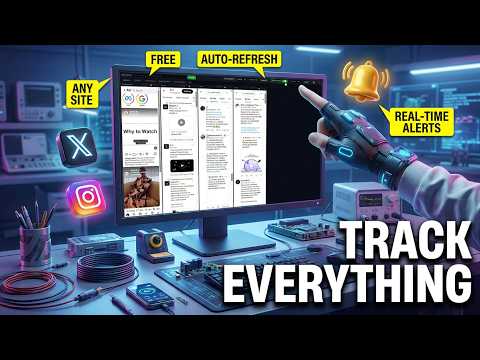
🚀 Multi-View Dashboard: Your Browser’s Mission Control Tired of constant tab-switching? Monitor the entire web on a single screen. Multi-View Dashboard transforms your browser into a powerful, multi-window command center. Designed for social media power users, financial analysts, and researchers, this extension allows you to manage dozens of live websites side-by-side in a seamless, interactive environment. 🌟 Why Multi-View Dashboard? ⚡ Side-by-Side Multi-Columns: Add as many websites as you need in fully functional columns. Each view is a complete browser environment—log in, search, and interact just like a standard tab. 🔄 Smart Auto-Refresh: Assign individual refresh timers to every column. Keep your feeds updated automatically without lifting a finger. 🤖 Advanced X (Twitter) Protection: Our intelligent "Queue" system refreshes X.com tabs sequentially with randomized delays. Stay updated while avoiding rate limits and bot detection. 🔔 Real-Time Desktop Notifications: Stay informed even when the tab isn't active. Receive instant alerts the moment new content is detected on supported sites. 🎨 Fully Customizable Layout: Use drag-and-drop to reorder columns and adjust widths individually. Build a workspace that fits your specific workflow. 🔗 Quick Links: Save your favorite URLs for one-click access. Load your personalized dashboard in seconds. 🛠 Perfect For: Social Media Management: Monitor X, Instagram, and Facebook feeds simultaneously. Trading & Finance: Aggregate live charts and breaking news from multiple sources onto one screen. Breaking News: Track multiple news outlets side-by-side to stay ahead of the curve. E-Commerce: Compare price changes across different marketplaces in real-time. 🛡 Privacy & Performance Lightweight & Efficient: Optimized to ensure your browser stays fast, even with multiple active views. 100% Local Data: Your privacy is our priority. All dashboard settings and data are stored locally on your device—never on our servers. Global Support: Fully localized in 10 languages, including English, Turkish, German, French, and more. 🏁 Get Started in Seconds Enter any URL in the top bar to Add a View. Set your preferred Refresh Interval. Drag and Resize columns to perfect your layout. Supercharge your productivity! Stop switching tabs. Start monitoring. Download Multi-View Dashboard today!
5 out of 510 ratings
Details
- Version4.1
- UpdatedJuly 30, 2026
- Offered byOzgur
- Size75.31KiB
- LanguagesEnglish (United States)
- Developer
Email
ozguraka92@gmail.com - Non-traderThis developer has not identified itself as a trader. For consumers in the European Union, please note that consumer rights do not apply to contracts between you and this developer.
Privacy

This developer declares that your data is
- Not being sold to third parties, outside of the approved use cases
- Not being used or transferred for purposes that are unrelated to the item's core functionality
- Not being used or transferred to determine creditworthiness or for lending purposes