


Overview
Compare prices across stores and find it cheaper. No account, no affiliate links, no paid placement.
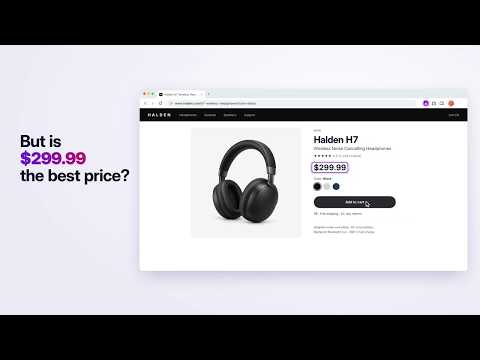
You start one price check. Muchita reads the product page you are on and keeps search and discovery in that tab. It verifies candidate offers in parallel in temporary tabs grouped with the product; you can see or open those tabs while the check runs, and they close when it ends. See the lowest verified item price that it found, with shipping shown separately and the evidence behind the result. Muchita asks to see any site because a product can be sold anywhere: it uses that access to read the product you are comparing and the offer pages it opens while comparing, not to collect your browsing history. No account. No affiliate links, and no store can pay to rank higher: the link you open is the retailer's own. Muchita never changes anything at checkout. A price check starts only when you ask and runs in tabs you can watch. Usage analytics stays off until you turn it on. Review matching offers with evidence about product identity, variant, condition, availability, currency, and price. Shipping stays separate: Muchita shows it as free, a known amount, or unknown/may be added. The result is the lowest verified item price that Muchita found among the offers it checked - not a promise that every seller was covered or that an offer will remain available. What you can do • Compare current offers and see why each result does or does not match. • Open a full, filterable report with checked offers and verification details. • Save products and offers in named lists, add notes, reorder them, and revisit recent comparisons. • Refresh any saved product when you choose and keep its price history locally. • Open a deal through Muchita and keep a local history of confirmed purchases and realized savings. • Choose your market, language, currency, local-seller preference, and research budget. How research works Product detection runs locally on eligible product pages. Price research starts only after you click a compare, refresh, or continue action. Search, comparison-site discovery, marketplace discovery, and store searches stay in the visible tab where you started the check. Muchita checks candidate offer pages in parallel in up to the number of temporary tabs you choose in Settings. Those tabs stay inside the product's tab group, remain visible in Chrome and the side panel, and close when the check ends. Pages that need attention may be retried in the visible tab. If worker tabs are unavailable, checking continues serially in the visible tab. During that active price check, bounded helper requests may also read candidate pages, resolve store-search or comparer links, and fetch images for local matching. Visual search can provide the product image to Google Lens or Bing; text searches can go to Google, Bing, or DuckDuckGo. Those providers and visited sites receive the query, image, requested URL, and ordinary connection data needed to return results. Muchita does not schedule price checks. It does not send price-drop notifications. It does not restart interrupted research. If a site requests a CAPTCHA or other manual step, Muchita shows it and never bypasses it. Prices, availability, shipping, tax, membership terms, and seller coverage can change at any time. Privacy and control • Settings and consent choices, lists, notes, saved products/offers, price and savings history, purchase records, recent comparisons, report preferences, search/provider memory, exchange-rate cache, and unsent feedback retries are stored in the extension on your device. Records use the caps and expiry rules in the Privacy Policy. Privacy settings include a complete local-data reset. • Local purchase confirmation is on by default. It starts only after you open a deal through Muchita, stays limited to that retailer tab and related checkout tabs, and can be disabled at any time. Order identifiers, totals, product titles, URLs, merchants, and raw confirmation content are not sent to Muchita or Google Analytics. • Optional pseudonymous usage analytics are off until you explicitly allow them. Approved, low-detail product events are sent directly to Google Analytics; they exclude product identity, browsing, order details, page content, and free text. Turning analytics off deletes the local analytics identifier and stops future events. • General or better-price feedback is sent to Muchita only when you submit it. The review screen shows the product context included with your report; failed reviewed submissions may retry later. Muchita Shopping is free and is independently published under the Muchita AI name. It is not affiliated with, endorsed by, or sponsored by Google, Chrome, any search engine, marketplace, or retailer. Privacy policy: https://shopping.muchita.ai/shopping/privacy Support: https://shopping.muchita.ai/#faq
5 out of 51 rating
Details
- Version0.3.23
- UpdatedOctober 3, 2026
- Size1.67MiB
- Languages39 languages
- DeveloperWebsite
Email
zahi@muchita.ai - Non-traderThis developer has not identified itself as a trader. For consumers in the European Union, please note that consumer rights do not apply to contracts between you and this developer.
Privacy

Muchita Shopping - Compare Prices, Find It Cheaper has disclosed the following information regarding the collection and usage of your data. More detailed information can be found in the developer's privacy policy.
Muchita Shopping - Compare Prices, Find It Cheaper handles the following:
This developer declares that your data is
- Not being sold to third parties, outside of the approved use cases
- Not being used or transferred for purposes that are unrelated to the item's core functionality
- Not being used or transferred to determine creditworthiness or for lending purposes
Support
For help with questions, suggestions, or problems, visit the developer's support site