

MsgSet: Templates, Hotkeys & Commands
1 rating
)
Overview
Your time is valuable. Build quick replies for any workflow, trigger them with hotkeys, commands, or a clean UI.
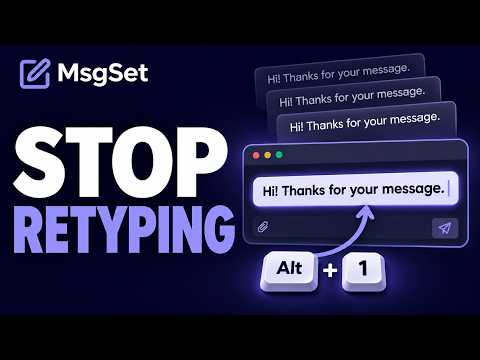
Stop typing the same text over and over. MsgSet lets you save reusable templates and insert them into text fields across websites — using an on-page panel, a hotkey like Alt+1, or a slash command like /1. Keep replies, AI prompts, and everyday phrases ready to use. Organize them into collections for work, study, or personal tasks. ⚡ Key features: • Create templates with rich formatting, hotkeys, and slash commands • Organize templates into collections for different workflows • Insert saved text directly from the on-page panel • Personalize templates with saved page values, such as a customer’s name • Add dates, times, and a cursor position to your templates • Disable MsgSet for individual websites • Import and export your templates and settings • Choose from eight interface languages • Get started with an interactive practice chat 🧠 How it works: Create a template in Options and open a website where you want to use it. Click Insert in the MsgSet panel, press your assigned hotkey, or type a slash command followed by a space. Your saved text is inserted where you are typing. For personalized replies, save a page value and add its placeholder to a template. MsgSet retrieves that value from the current page when you insert the template. 🔐 Privacy: Your templates and settings are stored using Chrome storage, with Chrome sync when available and local storage as a fallback. No MsgSet account is required. Your saved templates are not sent to a MsgSet server. If you submit a support request, its contents are sent to the support service. 🚀 Use cases: • Email and customer support replies • Reusable AI prompts • Frequently sent chat messages • Text you repeatedly enter into forms • Everyday phrases for work and study Save it once. Use it whenever you need it.
5 out of 51 rating
Details
- Version1.1.8
- UpdatedNovember 25, 2026
- Offered bymleskiv55
- Size355KiB
- LanguagesEnglish
- Developer
Email
quresupport@gmail.com - Non-traderThis developer has not identified itself as a trader. For consumers in the European Union, please note that consumer rights do not apply to contracts between you and this developer.
Privacy

MsgSet: Templates, Hotkeys & Commands has disclosed the following information regarding the collection and usage of your data. More detailed information can be found in the developer's privacy policy.
MsgSet: Templates, Hotkeys & Commands handles the following:
This developer declares that your data is
- Not being sold to third parties, outside of the approved use cases
- Not being used or transferred for purposes that are unrelated to the item's core functionality
- Not being used or transferred to determine creditworthiness or for lending purposes