


Overview
Play fart sounds on click, create a green gas trail with your cursor, and trigger fart noise effects when moving your mouse.
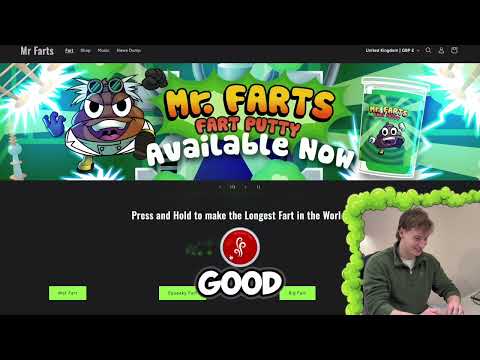
Add hilarious fart sounds to your browsing with every click. Mr Farts: Fart Sounds on Click is a funny Chrome extension that plays realistic fart sound effects when you click anywhere on a webpage. It also adds a ridiculous green gas trail that follows your mouse, turning normal browsing into something much more immature. If you enjoy silly humour, browser pranks, or chaotic sound effects, this extension brings instant comedy to everyday internet use. What This Extension Does 💨 Fart sounds on every click Click anywhere on a page and hear a realistic fart sound. 💨 Mouse gas trail A green cloud of gas follows your cursor around the screen. 💨 Fart sounds while moving your mouse Enable continuous fart sounds that react to your mouse movement. 💨 Multiple fart styles Choose between different types of fart sounds including: small squeaky rippers wet ones random mix 💨 Customisable fart settings Adjust: click fart volume gas burst strength mouse trail gas intensity movement fart sounds 💨 Works across most websites The extension runs directly in your browser so the effects work while you browse many sites. Easy Controls Mr Farts includes a simple control panel where you can: • enable or disable the extension • change fart styles • adjust sound levels • test fart sounds • refresh the page if the extension was just enabled Everything can be controlled quickly from the extension popup. Perfect For • funny browser pranks • adding humour to boring browsing sessions • fans of fart jokes and silly sound effects • chaotic internet fun Mr Farts has dominated Spotify and Alexa with Farts. Now it's time for the browser.... Privacy Friendly Mr Farts does not collect any personal data. The extension simply adds local sound and visual effects in your browser. No browsing history or personal information is stored or transmitted. Privacy policy: https://mrfarts.fun/pages/mr-farts-chrome-extension-privacy-policy Follow Mr Farts You can find more ridiculous Mr Farts content here: YouTube https://www.youtube.com/@MrFarts Instagram https://www.instagram.com/mr_farts_official/ TikTok https://www.tiktok.com/@mr_farts_industries Spotify https://open.spotify.com/artist/7GRISJGEJoXo4Uxs6K76Uo Install Mr Farts: Fart Sounds on Click extension and turn your browser into Immature Browsing Software (IBS).
5 out of 53 ratings
Details
- Version1.3.1
- UpdatedApril 10, 2026
- Size163KiB
- LanguagesEnglish
- DeveloperHUGO.FMWebsite
55 Station Road Manningtree CO11 1EB GBEmail
hello@mrfarts.funPhone
+44 7541 071930 - TraderThis developer has identified itself as a trader per the definition from the European Union and committed to only offer products or services that comply with EU laws.
- D-U-N-S224957320
Privacy

This developer declares that your data is
- Not being sold to third parties, outside of the approved use cases
- Not being used or transferred for purposes that are unrelated to the item's core functionality
- Not being used or transferred to determine creditworthiness or for lending purposes
Support
For help with questions, suggestions, or problems, visit the developer's support site