

Client Website Handoff Checker

Overview
Review a webpage before client delivery. Compare page content with approved business details and export an HTML report.
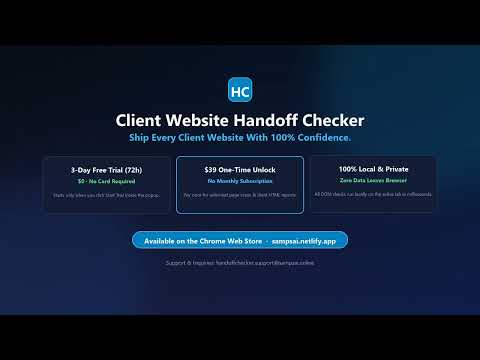
Client Website Handoff Checker helps you review a webpage before delivering it to a client. Compare page content with approved business information, review potential issues, and export an HTML report. WHAT IT CHECKS • Indexing directives: Detect noindex or none directives in robots and Googlebot meta tags. • Staging references: Find potential staging domains, localhost references, and development URLs in canonical tags, links, and form destinations. • Business information and placeholders: Compare the approved business name with the page title and visible content. Find potential placeholder text and leftover template content across multiple languages. • Contact details: Compare domestic and international telephone and email links with approved contact information and identify mismatches between displayed details and link targets. • Hidden content: Flag potential contact-information and placeholder issues in hidden page elements for manual review. • Structured data: Check Organization and LocalBusiness JSON-LD for consistency with the approved business name, domain, phone numbers, and email addresses. • Social links and share metadata: Detect placeholder or incomplete social profile links, and preview OpenGraph and Twitter share card metadata directly in the extension. • Icons and images: Check page icon links, broken images, staging image URLs, and images missing alt text. WORKFLOW AND REPORTING FEATURES • Multi-language support: Switch the extension interface, client summaries, and exported HTML reports between English, Spanish, French, German, Portuguese, Italian, Dutch, and Japanese. • On-page element locator: Click “Locate” on any flagged issue to scroll directly to the element on the webpage and highlight it visually. • Saved client profiles and auto-match: Save multiple client reference profiles locally and automatically match the active tab to the right client profile in one click. • Instant filtering and search: Filter scan findings by status (FAIL, NEEDS REVIEW, PASS), category, or keyword to focus on actionable items first. • Multi-page batch rollup: Combine scans from multiple pages of a client website into a single summary table inside your exported report. • Custom report header and sign-off checklist: Add an optional “Prepared By” header, check off manual pre-launch verification items, and copy a formatted client handoff summary to your clipboard in one click. HOW TO USE IT 1. Create or select a saved reference profile with the client’s approved business information. 2. Open a webpage and click “Scan Current Page.” 3. Review, filter, or locate findings marked FAIL, NEEDS REVIEW, or PASS. 4. Click “Export HTML Report” to save a standalone report or click “Copy Handoff Summary” to copy a text summary. Each scan checks the active webpage. Findings support manual review and do not guarantee that a website is ready to launch or will be indexed by search engines. TRIAL AND PRICING A free 72-hour trial starts when you click “Start 3-Day Free Trial (72h).” No credit card is required to start. Continued access costs $39 as a one-time purchase, with unlimited scans and report exports and no recurring subscription. Previously exported HTML reports remain available after the trial expires. PRIVACY Website checks run locally in your browser when you start a scan. Client reference profiles are stored locally. Page content and reference profiles are not uploaded for analysis. Payment processing and license verification use a separate licensing service. SUPPORT Email: handoffchecker.support@sampsai.online Website: https://sampsai.netlify.app/
0 out of 5No ratings
Details
- Version1.6.5
- UpdatedOctober 30, 2026
- FeaturesOffers in-app purchases
- Offered byHandoff Tools
- Size188KiB
- Languages8 languages
- Developer
Email
handoffchecker.support@sampsai.online - Non-traderThis developer has not identified itself as a trader. For consumers in the European Union, please note that consumer rights do not apply to contracts between you and this developer.
Privacy

Client Website Handoff Checker has disclosed the following information regarding the collection and usage of your data. More detailed information can be found in the developer's privacy policy.
Client Website Handoff Checker handles the following:
This developer declares that your data is
- Not being sold to third parties, outside of the approved use cases
- Not being used or transferred for purposes that are unrelated to the item's core functionality
- Not being used or transferred to determine creditworthiness or for lending purposes
Support
For help with questions, suggestions, or problems, visit the developer's support site