


Overview
Translate YouTube captions into 109 languages. Free to start.
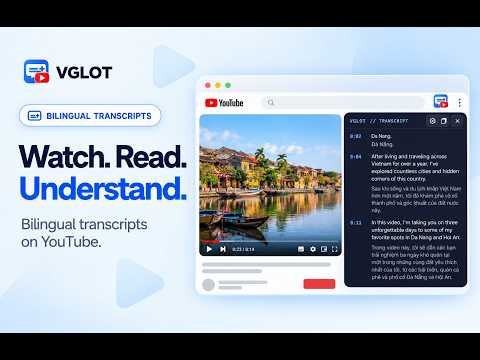
Watch YouTube videos with the original words and a translation together. VGLOT helps you follow conversations, learn from tutorials and enjoy videos in another language, including videos without existing subtitles. Read subtitles directly on the video or open a separate transcript panel. Move and resize the panel to fit your screen, and adjust the text to make it comfortable to read. Get started 1. Open a public YouTube video. 2. Open VGLOT and connect your VGLOT account. 3. Choose the language spoken in the video and the language you want to read. 4. Press Start captions. Captions appear as they are prepared and follow the video as you watch. If a translation is still loading, you can read the original words while you wait. Make captions work for you - Choose translations in 109 languages. - Show both languages together, or hide the original words to focus on the translation. - Pause or skip through the video and keep captions matched to what you are watching. - Click a line in the transcript panel to return to that part of the video. - Change text size, colors and caption position in Settings. - Copy the captions already loaded in the transcript panel. Free to start Sign in to start Free with a monthly caption allowance. Creating new captions uses your allowance. You can reopen saved captions for the same video and languages without using more time, including after you reach your limit. Existing Standard and Premium accounts keep their larger allowances. New paid subscriptions are currently unavailable. Stay in control VGLOT starts preparing captions only when you press Start captions. Use Stop captions to stop requesting more captions; work already in progress may still finish. Hiding captions or closing the popup does not stop processing. VGLOT processes audio from the video you choose and saves your captions privately to your account. It does not record your microphone or capture audio from your browser tab. Captions may take time to appear, and accuracy varies by video and language. For better results, choose the spoken language yourself when you know it. Product: vglot.app Privacy: Privacy policy Support: Support What’s new in 0.4.5 - Choose between subtitles on the video and a movable transcript panel. - Adjust captions with a refreshed toolbar and Settings menu. - Show or hide the original words directly from the on-video toolbar. - Connect through VGLOT’s own website. If needed, reconnect with the same Google account.
0 out of 5No ratings
Details
- Version0.4.5
- UpdatedOctober 26, 2026
- FeaturesOffers in-app purchases
- Size184KiB
- LanguagesEnglish
- DeveloperWebsite
Email
tuantran@knoveya.com - Non-traderThis developer has not identified itself as a trader. For consumers in the European Union, please note that consumer rights do not apply to contracts between you and this developer.
Privacy

VGLOT — YouTube Video Translator has disclosed the following information regarding the collection and usage of your data. More detailed information can be found in the developer's privacy policy.
VGLOT — YouTube Video Translator handles the following:
This developer declares that your data is
- Not being sold to third parties, outside of the approved use cases
- Not being used or transferred for purposes that are unrelated to the item's core functionality
- Not being used or transferred to determine creditworthiness or for lending purposes
Support
For help with questions, suggestions, or problems, please open this page on your desktop browser