


Prezentare generală
MozBar extension
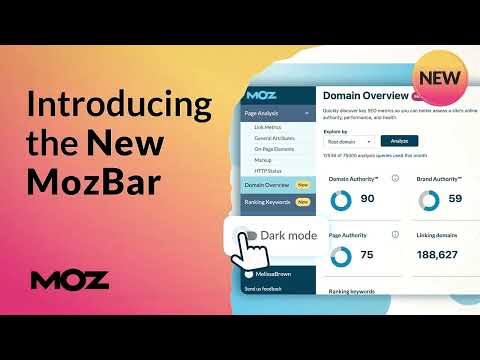
The all new MozBar V4 from Moz! Last Updated - December 13, 2024 (Version 4.1.1) Community Users get access to Domain Authority and Page Authority - up to 1,000 calls per month. Moz Pro Users: Access to all metrics & additional features from Moz Pro, including Spam Score The all-in-one SEO toolbar for research on the go. - *NEW* Popup extension complements the metrics bar (MozBar) SEOs have used for years. - Rebuilt dark mode and Moz Pro navigation mode offer greater flexibility and accessibility. - Quickly assess the Page Authority and Domain Authority of any site or page. - *NEW* to MozBar V4: Brand Authority, Moz’s exclusive metric that measures a brand’s strength and influence, is available to all MozBar Premium users - Find and highlight keywords on a page and differentiate links by type: Followed, No-Followed, External, or Internal. - Rebuilt Page Analysis provides all the on-page elements you’ve come to love with MozBar and the new ability to identify hreflang tags, robots.txt, and sitemap URLs. - *NEW* identify and copy schema markup on web pages for a simpler auditing process. - *NEW* tap into your Moz Pro keyword queries to get a snapshot of a website’s top-ranking keywords. - Access and compare link metrics across pages while viewing any SERP. - Export your search engine results page (SERP) analysis details to a CSV file. - Get instant page optimization details and know which factors are impacting a page’s ability to rank. 4.1.1 Updates: - Fixed CSS conflicts with certain websites - Introduced SERP Overlay on Places (Beta Feature) - Fixed issue where highlight links function didn't carry over to subsequent pages - Redirect path now shows in HTTP Status tab 4.1.0 Updates: - Brought DA mode back -- enabled by default, can disable it in the Settings tab - Brought "Log in with Moz Pro" function back - Fixed issue with Spain missing from Search Profile dropdown menu - Data update with SERP Overlay function 4.0.9 Updates: - Updated Quotas language on MozBar for Community and Pro users - Removed Blank Meta Description Column (we decided not to pull that due to issues pulling it w/ - - - Show Remaining Quota on MozBar - Blocklist language update - Highlight Links - fix implemented to nofollow function - Accept all types of email addresses on login function - Fixed issue related Mozbar- seated users not able to use main account's quota 4.0.8 Updates: - Added Spam Score to Link Metrics tab - After logging in, settings tab opens up - Resolved issue where DA & PA did not show on new URLs - Added ability to click on Helpful and Hurting scores to access the respective tabs - Added link on Home tab to MozBar Feature Access Levels
3,3 din 52,5 K de evaluări
Detalii
- Versiune4.1.1
- Data ultimei actualizări18 aprilie 2025
- Dimensiune2.61MiB
- LimbiEnglish
- Dezvoltator
- Non-comerciantDezvoltatorul nu s-a identificat drept comerciant. Pentru consumatorii din Uniunea Europeană, reține că este posibil ca drepturile consumatorilor să nu se aplice contractelor încheiate între tine și acest dezvoltator.
Confidențialitate

Acest editor declară că datele:
- nu sunt vândute terților în alte scopuri decât pentru situațiile de folosire aprobate.
- nu sunt folosite sau transferate în scopuri care nu au legătură cu funcțiile principale ale articolului;
- nu sunt folosite sau transferate pentru a stabili solvabilitatea sau în scopuri de împrumut.
Asistență
Pentru ajutor în legătură cu întrebări, sugestii sau probleme, accesează site-ul de asistență al dezvoltatorului