Item logo image for move2edge_of_page

move2edge_of_page

Item video thumbnail

Overview

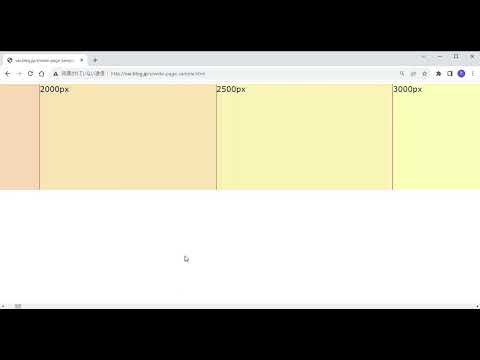
Scroll to the edge of the page with Ctrl + Left/right Arrow

ctrlと矢印キーで、横スクロールできるページの端までスクロールする拡張機能です。ほぼ自分用。特にメンテとかはしません。

Details

  • Version
    1.0
  • Updated
    November 23, 2023
  • Offered by
    kaisen.jp.kmi
  • Size
    3.62KiB
  • Languages
    日本語
  • Developer
    Email
    kaisen.jp.kmi@gmail.com
  • Non-trader
    This developer has not identified itself as a trader. For consumers in the European Union, please note that consumer rights do not apply to contracts between you and this developer.

Privacy

The developer has disclosed that it will not collect or use your data.

This developer declares that your data is

  • Not being sold to third parties, outside of the approved use cases
  • Not being used or transferred for purposes that are unrelated to the item's core functionality
  • Not being used or transferred to determine creditworthiness or for lending purposes

Related

Roller

5.0

Enable auto scrolling with the mouse wheel button on Linux

Scroll Zoom

4.2

Zoom web pages with the left or right mouse button and the scroll wheel.

BerryPeek - Link Preview & Quick Peek

0.0

Preview links in an elegant overlay with Shift+Click, inspired by Arc browser.

Ctrl Zoom

4.9

Ctrl + touchpad scroll to zoom

Page Auto Scroll

3.0

点击右下角的箭头以自动滚动页面。

Scroll to the bottom

2.1

helps users get to the top and bottom of a page instantly

Top and Bottom scroll buttons

4.5

Adds scroll to Top and Bottom buttons on all sites

Tab Wheel Scroll

2.6

Scroll through tabs with alt + mouse wheel OR right click + mouse wheel.

Scroll To Top

4.7

Scroll to top and vice versa in a window.

Fast Page Scroll

4.1

Quickly scroll to the top or bottom of any page without using the mouse wheel.

TopScroll

4.9

Click on the left border of any page for scroll to the top.

Auto Scroll

3.7

Easily scroll to the top and the bottom of current page

Roller

5.0

Enable auto scrolling with the mouse wheel button on Linux

Scroll Zoom

4.2

Zoom web pages with the left or right mouse button and the scroll wheel.

BerryPeek - Link Preview & Quick Peek

0.0

Preview links in an elegant overlay with Shift+Click, inspired by Arc browser.

Ctrl Zoom

4.9

Ctrl + touchpad scroll to zoom

Page Auto Scroll

3.0

点击右下角的箭头以自动滚动页面。

Scroll to the bottom

2.1

helps users get to the top and bottom of a page instantly

Top and Bottom scroll buttons

4.5

Adds scroll to Top and Bottom buttons on all sites

Tab Wheel Scroll

2.6

Scroll through tabs with alt + mouse wheel OR right click + mouse wheel.

Google apps