Item logo image for Mouseless

Mouseless

5.0(

5 ratings

)
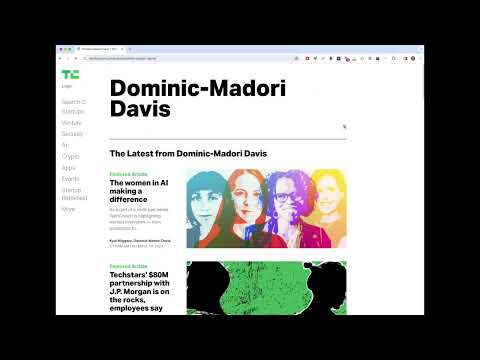
Item media 3 (screenshot) for Mouseless
Item video thumbnail
Item media 2 (screenshot) for Mouseless
Item media 3 (screenshot) for Mouseless
Item video thumbnail
Item media 2 (screenshot) for Mouseless
Item media 3 (screenshot) for Mouseless

Overview

Let you get rid of mouse when browsing websites!.

Version 1.2.1. Support input and textarea along with links(a tag)! --- Get rid of mouse when browsing on web! Don't you feel using mouse increase your shoulder pain? You're on the right spot! Mouseless offers mouseless experience when you are web surfing. It can keep your both hands relaxing on the keyboard without moving around between keyboard and mouse like a bee. Especially useful for reading article by article on news sides like Techcrunch, WJS, or NYT. Simply press "Shift+Alt + n". Mouseless will generate keys for all links and input bar on your current viewport. Press the key one by one, and then it will follow that link or focus on input bar for your next action! Press "Shift+Alt + n" again will close it. Super easy!

Details

  • Version
    1.2.1
  • Updated
    September 11, 2024
  • Offered by
    Smuk
  • Size
    546KiB
  • Languages
    English
  • Developer
    Email
    morris@smuk.io
  • Non-trader
    This developer has not identified itself as a trader. For consumers in the European Union, please note that consumer rights do not apply to contracts between you and this developer.

Privacy

The developer has disclosed that it will not collect or use your data.

This developer declares that your data is

  • Not being sold to third parties, outside of the approved use cases
  • Not being used or transferred for purposes that are unrelated to the item's core functionality
  • Not being used or transferred to determine creditworthiness or for lending purposes

Support

For help with questions, suggestions, or problems, visit the developer's support site

Related

Keyboard Navigation

5.0

Allows you to brows only with your keyboard. Press '.' and required chars to jump to link. Press 'n' or 'p' to scroll down or up.

Hotkeys for PlutoTV: keyboard shortcuts

5.0

Extension allows using keyboard shortcuts on PlutoTV

Destimulate YT

5.0

Blocks out all tools YouTube™ uses to keep you hooked, such as thumbnails, comments, recommendations, endscreens, shorts, and more

No Shorts

5.0

Block YT Shorts from killing your productivity

Gridify - Keyboard Link Selector

5.0

Select any link, image, input box, or a selectable region on the current page without using the mouse just by a few keyboard hits

Auto Space

5.0

Automatically add spaces between Chinese and half-width characters

Numbered Tabs

5.0

Add a numeric prefix before the tab's title.

Vind: Keyboard Shortcuts for Every Website

4.5

Create keyboard shortcuts for any web element. Boost productivity, eliminate mouse clicks, navigate faster on all sites.

Lemmy Keyboard Navigation

5.0

Easily navigate Lemmy with your keyboard.

Previous / Next page keyboard navigation

0.0

Browser plug-in, it is convenient to use the left and right keys of the keyboard to turn pages

Distraction free: Hide YouTube content

5.0

Hide the YouTube content and be distraction free!

ChatGPT Xtra

3.4

This extension enhances ChatGPT user experience by adding interactive and efficient features for better ChatGPT use.

Keyboard Navigation

5.0

Allows you to brows only with your keyboard. Press '.' and required chars to jump to link. Press 'n' or 'p' to scroll down or up.

Hotkeys for PlutoTV: keyboard shortcuts

5.0

Extension allows using keyboard shortcuts on PlutoTV

Destimulate YT

5.0

Blocks out all tools YouTube™ uses to keep you hooked, such as thumbnails, comments, recommendations, endscreens, shorts, and more

No Shorts

5.0

Block YT Shorts from killing your productivity

Gridify - Keyboard Link Selector

5.0

Select any link, image, input box, or a selectable region on the current page without using the mouse just by a few keyboard hits

Auto Space

5.0

Automatically add spaces between Chinese and half-width characters

Numbered Tabs

5.0

Add a numeric prefix before the tab's title.

Vind: Keyboard Shortcuts for Every Website

4.5

Create keyboard shortcuts for any web element. Boost productivity, eliminate mouse clicks, navigate faster on all sites.

Google apps