

Mostame — مستمع

Overview
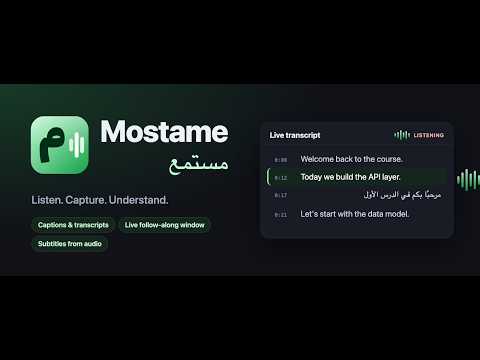
Extract captions and transcripts, follow them in a live window, or generate subtitles from tab audio.
Turn video captions and tab audio into transcripts you can read, follow and export. Mostame helps you study courses, follow lectures and revisit what was said. Capture captions that a video site already provides, or generate subtitles from the playing tab's audio when captions are unavailable. CAPTURE EXISTING CAPTIONS • Find subtitle tracks and transcript text on supported video and course pages. • Save on-screen captions as they appear. • Export plain text, SRT or WebVTT without creating an account. READ ALONG IN A LIVE WINDOW • Open a separate transcript window beside your video. • Follow the current caption as the video plays. • Click a timestamp in the current video's captured track to jump back. • Adjust the text size for comfortable reading. GENERATE SUBTITLES FROM TAB AUDIO • Sign in with Google and press Start generation to transcribe the selected tab. • Record the tab's sound, not your microphone. • Receive text in chunks while audio is playing, then stop and wait for the final lines. • Support Arabic, English and other languages. Arabic uses a dedicated speech-recognition model; its generated timestamps are approximate. • Free early access includes 60 minutes of audio transcription per day, resetting at 00:00 UTC. KEEP EACH LESSON SEPARATE When you navigate to another lesson, Mostame keeps the previous video's results under Saved videos while the tab remains open. Copy text or download a transcript before closing the tab, restarting the browser or reloading the extension. PRIVACY AND CONTROL Audio is sent to the Mostame service only after you start generation. It is processed in memory; audio and transcript text are not stored on the server. Account details, daily usage and temporary retry records support sign-in and prevent duplicate charges. Captured captions and video information stay in your browser's session storage. No ads or analytics. PLEASE NOTE Caption availability depends on the website and player. Some sites, protected media and browser pages cannot be captured. Speech recognition can make mistakes and requires an internet connection. Generated timestamps are based on recording time; seeking, pausing or changing playback speed may affect alignment. Review generated text before relying on it. Homepage and support: https://mostame.greencoder.io/ Privacy policy: https://mostame.greencoder.io/privacy
0 out of 5No ratings
Details
- Version1.10.0
- UpdatedNovember 6, 2026
- Offered byabdelrahman.hassan.hamdy@gmail.com
- Size63.93KiB
- LanguagesEnglish
- Developer
Email
abdelrahman.hassan.hamdy@gmail.com - Non-traderThis developer has not identified itself as a trader. For consumers in the European Union, please note that consumer rights do not apply to contracts between you and this developer.
Privacy

Mostame — مستمع has disclosed the following information regarding the collection and usage of your data. More detailed information can be found in the developer's privacy policy.
Mostame — مستمع handles the following:
This developer declares that your data is
- Not being sold to third parties, outside of the approved use cases
- Not being used or transferred for purposes that are unrelated to the item's core functionality
- Not being used or transferred to determine creditworthiness or for lending purposes