

MONKNOW New Tab - Personal Dashboard

Overview
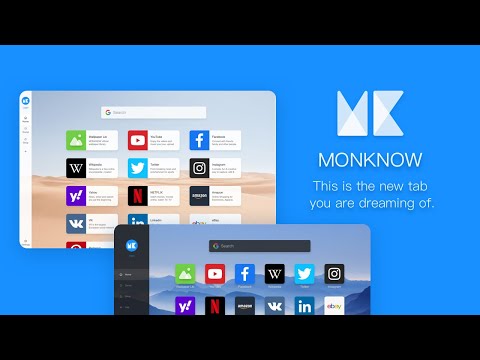
The new tab page you've been dreaming of, with grouped website links, real-time cloud sync, and a dark theme.
Overview MONKNOW is a customizable browser new tab extension that brings your favorite websites, search, wallpapers, weather, and to-do list together in one place. Organize icons and the page appearance your way, then back up and sync your data through an account to restore it on other devices or in other browser environments. Key features • Search and quick access Search directly from a new tab or open your favorite websites quickly with website icons. Choose, arrange, and manage search engines, or add custom search engines. • Website icons and groups Keep your favorite websites organized. Create, edit, and arrange icons and groups to find the sites you want to visit quickly. When adding a website, choose an icon from the official icon library, upload a custom image, or, with your permission, find an icon from the website. Choose between Simple and Detailed display modes, and adjust the layout and appearance. • Bookmark import Bring existing bookmarks into your new tab. Choose what to import; this feature is available only after you grant permission. • Appearance and wallpapers Make your new tab fit your preferences. Choose light, dark, or system theme mode; use official wallpapers, upload local images, set a solid-color background, or configure wallpaper rotation. • Weather, to-do list, and sidebar Check weather information and manage your to-do list from the sidebar, and show or hide sidebar content as needed. • Standby page Show a standby page when you are away. Customize its clock, weather, background, and other appearance settings. • Account, backup, and sync Use MONKNOW as a guest, or create an account or sign in. When signed in, MONKNOW can back up and sync extension data to your account, so you can restore and use it on other devices or in other browser environments. Permissions Browser API permissions • storage (required) Stores your icons, groups, wallpaper preferences, search settings, to-do list, and other extension settings locally in your browser. • tabs (required) When you use Quick Add from the extension toolbar, reads the title and URL of the current tab so you can add the website as an icon. It is also used to open the links and search results you choose. It is not used to track your browsing history. • alarms (required) Runs the extension's scheduled background tasks, including data synchronization when applicable. • search (required) Uses the browser search engine you choose when you search. • bookmarks (optional) Reads your bookmark folders and content only after you choose to import bookmarks and grant permission. MONKNOW does not read bookmarks without your permission. Host permissions • *.monknow.com (required) Connects to MONKNOW account and cloud services, including sign-in, data backup, synchronization, and related service requests. • All HTTP and HTTPS websites (optional) Only after you choose to find an image for a website icon and grant permission, accesses the website address you enter to find icon or image candidates provided by that website. It is not used to monitor the pages you browse. Privacy policy and terms of use Privacy policy: https://www.monknow.com/privacy-policy Terms of use: https://www.monknow.com/terms-of-use Contact us For questions, suggestions, or help, email: help@monknow.com
4.6 out of 5485 ratings
Details
- Version8.9.19
- UpdatedSeptember 20, 2026
- Size728KiB
- Languages12 languages
- DeveloperWebsite
Email
help@monknow.com - Non-traderThis developer has not identified itself as a trader. For consumers in the European Union, please note that consumer rights do not apply to contracts between you and this developer.
Privacy

This developer declares that your data is
- Not being sold to third parties, outside of the approved use cases
- Not being used or transferred for purposes that are unrelated to the item's core functionality
- Not being used or transferred to determine creditworthiness or for lending purposes
Support
For help with questions, suggestions, or problems, please open this page on your desktop browser