


개요
Add, modify or remove a header for any request on desired domains.
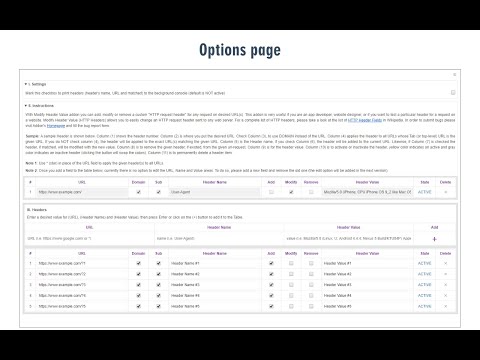
Modify Header Value (HTTP Headers) is an extension that can add, modify or remove an HTTP-request-header for all requests on a desired website or URL. This Addon is very useful if you are an App developer, website designer, or if you want to test a particular header for a request on a website. Key features: 1. Easily add, modify or remove a header for any request on desired domains. 2. For a complete list of HTTP headers, please take a look at the list of all HTTP Header Fields on the Wikipedia page (https://en.wikipedia.org/wiki/List_of_HTTP_header_fields). 3. Clicking on the Toolbar icon opens a UI to quickly switch the Addon ON or OFF, or open the options page. 4. Each header item has several options to adjust (see add-on's Options page for details) 5. You can add several header items and active or inactive them separately. 6. An example in the options page shows a tutorial on "How to add a custom header". Note: to report bugs, please visit addon's homepage (https://mybrowseraddon.com/modify-header-value.html) and fill out the bug report form.
5점 만점에 3.4점평점 50개
세부정보
- 버전0.2.0
- 업데이트됨2025년 4월 7일
- 제공Grephy
- 크기95.87KiB
- 언어English
- 개발자
이메일
grephyr.prj@gmail.com - 비판매자판매자로 식별되지 않은 개발자입니다. 유럽 연합에 거주하는 소비자의 경우, 이 개발자와 체결한 계약에 대해서는 소비자 권리가 적용되지 않을 수 있음을 유의해야 합니다.
개인정보 보호

개발자가 사용자 데이터에 관해 다음과 같이 선언했습니다
- 승인된 사용 사례를 제외하고 서드 파티에 판매하지 않음
- 항목의 핵심 기능과 관련 없는 목적으로 사용하거나 전송하지 않음
- 신용도 판단 또는 대출 목적으로 사용하거나 전송하지 않음
지원
질문, 제안 또는 문제와 관련하여 도움이 필요하시면 개발자의 지원 사이트를 방문하세요.