


概述
A web form filler that autofills page inputs with realistic dummy data for testing.
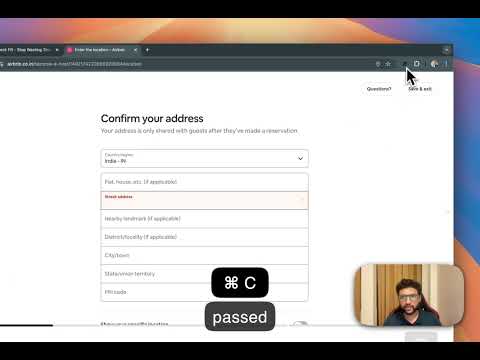
MockFill – Autofill Forms with Mock Data (Chrome Extension) MockFill is a lightweight autofill Chrome extension built for developers, QA engineers, and designers who frequently test web forms. Instead of manually typing fake data again and again, MockFill lets you autofill forms instantly with realistic test data—right inside your browser. Whether you’re testing signup forms, debugging validations, or previewing layouts, MockFill helps you fill web forms faster and stay focused on building. ✨ Key Features 🚀 One-Click Form Autofill Instantly autofill entire web forms with smart mock data. 🎯 Smart Field Detection Automatically detects form fields like name, email, phone number, date, address, and more. ⚡ Single Field or Bulk Fill Fill individual inputs or auto populate the entire form at once. 🛠 Works on Any Website Compatible with React, Vue, Angular, and plain HTML forms. 🔒 Private & Secure No tracking, no data collection—everything runs locally in your browser. ✅ Why Install MockFill? If you regularly work with web forms, manual form filling quickly becomes repetitive and slow. MockFill acts as a fake data form filler, helping you test faster without relying on browser autofill or Google autofill settings. With MockFill, you: Save hours of repetitive typing Autofill form data consistently Test forms more efficiently Perfect for frontend developers, QA testers, and product designers who want a better form autofill experience. What's New 🆕? Autofill support of Dropdown(Select HTML and React V2&V2 Select only currently )
5 星(5 星制)5 个评分
详情
隐私权

“MockFill – Autofill Forms with Mock/Fake Data”已就收集和使用用户数据披露了以下信息。 如需了解详情,请查看开发者的privacy policy。
MockFill – Autofill Forms with Mock/Fake Data会处理以下数据:
该开发者已声明,您的数据:
- 不会因未获批准的用途出售给第三方
- 不会为实现与产品核心功能无关的目的而使用或转移
- 不会为确定信用度或放贷目的而使用或转移
支持
若有任何疑问、建议或问题,请访问开发者的支持网站