

MockFill – Autofill Forms with Mock/Fake Data

Overview
A web form filler that autofills page inputs with realistic dummy data for testing.
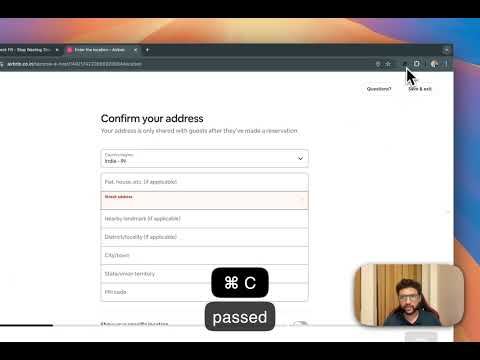
MockFill – Autofill Forms with Mock Data (Chrome Extension) MockFill is a lightweight autofill Chrome extension built for developers, QA engineers, and designers who frequently test web forms. Instead of manually typing fake data again and again, MockFill lets you autofill forms instantly with realistic test data—right inside your browser. Whether you’re testing signup forms, debugging validations, or previewing layouts, MockFill helps you fill web forms faster and stay focused on building. ✨ Key Features 🚀 One-Click Form Autofill Instantly autofill entire web forms with smart mock data. 🎯 Smart Field Detection Automatically detects form fields like name, email, phone number, date, address, and more. ⚡ Single Field or Bulk Fill Fill individual inputs or auto populate the entire form at once. 🛠 Works on Any Website Compatible with React, Vue, Angular, and plain HTML forms. 🔒 Private & Secure No tracking, no data collection—everything runs locally in your browser. ✅ Why Install MockFill? If you regularly work with web forms, manual form filling quickly becomes repetitive and slow. MockFill acts as a fake data form filler, helping you test faster without relying on browser autofill or Google autofill settings. With MockFill, you: Save hours of repetitive typing Autofill form data consistently Test forms more efficiently Perfect for frontend developers, QA testers, and product designers who want a better form autofill experience. What's New 🆕? Autofill support of Dropdown(Select HTML and React V2&V2 Select only currently )
5 out of 55 ratings
Details
- Version2.3.5
- UpdatedMarch 24, 2026
- FeaturesOffers in-app purchases
- Size1.85MiB
- LanguagesEnglish
- DeveloperWebsite
Email
fabpicapp@gmail.com - Non-traderThis developer has not identified itself as a trader. For consumers in the European Union, please note that consumer rights do not apply to contracts between you and this developer.
Privacy

MockFill – Autofill Forms with Mock/Fake Data has disclosed the following information regarding the collection and usage of your data. More detailed information can be found in the developer's privacy policy.
MockFill – Autofill Forms with Mock/Fake Data handles the following:
This developer declares that your data is
- Not being sold to third parties, outside of the approved use cases
- Not being used or transferred for purposes that are unrelated to the item's core functionality
- Not being used or transferred to determine creditworthiness or for lending purposes
Support
For help with questions, suggestions, or problems, visit the developer's support site