

Mockdiff: Mockup Overlay and CSS Inspector

Overview
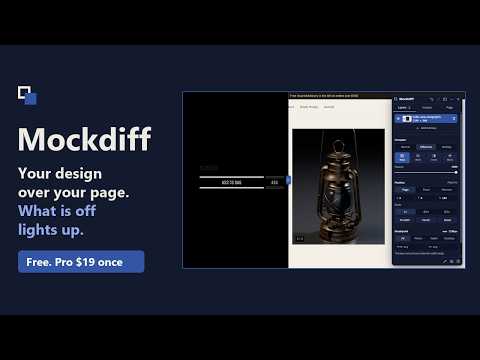
Lay your mockup over any live page. Difference, wipe, breakpoints, live CSS edits and Tailwind copy.
Drop your mockup on the page. Press D. Everything that matches turns black, so whatever's still showing is off. Compare - Difference, wipe, blink, invert, multiply and opacity. - @2x and @3x exports scale down by themselves. No 10x scale cap. - The mockup never eats clicks. Scroll, hover and open DevTools under it. - Breakpoint layers: give phone, tablet and desktop their own mockup. Resize and the right one shows. - Pin a mockup to an element, so a cookie bar or a taller hero doesn't shift your compare. - Undo and redo. Saved per page, back after a reload. - Export a page's setup to one file and send it to a teammate. - Screenshot of the compare, saved and copied for the ticket. Inspect - Hover any element for its box, padding and margin. Arrow keys walk the tree. - Clean CSS (no defaults, shorthands folded, hex colors) or Tailwind classes, one click to copy. - Edit values live, then copy only your changes as a CSS patch. - Hold Alt to measure the gap to another element. - Contrast ratio with the AA/AAA grade on every text element. - Eyedropper. Page - Every text, background and border color with counts. Hover to see where each is used. - Fonts with their sizes and weights. - Every text element that fails AA contrast, click to jump to it. Free vs Pro - Free: unlimited mockups, every compare mode, the inspector, contrast, measure, the page tab, screenshots. No ads, no caps, no account. - Pro, $19 once: breakpoint layers, pin to an element, Tailwind copy, copy your edits as a CSS patch, palette and setup export. No subscription. Private No account, no tracking, no ads. Your mockups never leave your browser. Mockdiff only runs on the tab you click it on.
0 out of 5No ratings
Details
- Version1.0.2
- UpdatedNovember 26, 2026
- FeaturesOffers in-app purchases
- Offered byMegiste Studio
- Size218KiB
- LanguagesEnglish (United States)
- Developer
Email
support@megistestudio.com - Non-traderThis developer has not identified itself as a trader. For consumers in the European Union, please note that consumer rights do not apply to contracts between you and this developer.
Privacy

Mockdiff: Mockup Overlay and CSS Inspector has disclosed the following information regarding the collection and usage of your data. More detailed information can be found in the developer's privacy policy.
Mockdiff: Mockup Overlay and CSS Inspector handles the following:
This developer declares that your data is
- Not being sold to third parties, outside of the approved use cases
- Not being used or transferred for purposes that are unrelated to the item's core functionality
- Not being used or transferred to determine creditworthiness or for lending purposes
Support
For help with questions, suggestions, or problems, visit the developer's support site