

Mobile simulator - responsive testing tool

Overview
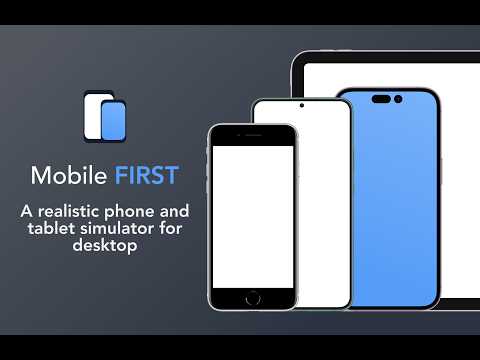
Phone Simulator — Free Chrome Extension to test and preview your site on 80+ devices.
🚀 See your website exactly as mobile users see it. Mobile FIRST lets you test responsive design on iPhone, iPad, Android phones, tablets and smartwatches directly in Chrome, record client-ready demos, and save hours of manual testing. Trusted by over 1.5 million developers, designers and QA testers for more than 5 years, Mobile FIRST is the reference mobile simulator extension for Chrome. ⚡ GET STARTED IN 10 SECONDS 1. Click "Add to Chrome" 2. Open any website 3. Click the Mobile FIRST icon and pick a device 4. Rotate, compare and switch devices, no DevTools needed 📱 80 PRE-CONFIGURED DEVICES (new models added regularly) • 62 smartphones (iPhone and Android), from older models to the latest releases • 5 tablet models • 13 special devices: smartwatches, interactive kiosks, desktop screens... • Custom devices: create and save your own screen sizes and viewports 🔥 KEY FEATURES • 🆕 Live device: Real rendering engine. Native Safari WebKit and Chrome Android, to catch even the smallest display issue. • 📱📱 Multi-device comparison: test several devices side by side at the same time for lightning-fast responsive checks • 👆 Realistic touch scrolling: native finger gestures for an authentic mobile browsing feel • 🎬 One-click video recording (MP4, WEBM, GIF) for demos, tutorials and bug reports • 📸 Transparent PNG screenshots, ready for presentations and client emails • 🔄 Instant portrait / landscape switching • 🔍 Realistic zoom that mimics real mobile behavior • ⚙️ 10+ customization options: PWA mode, fullscreen, native keyboard and more • 🖼️ Free downloadable transparent device mockups • 🌚 Dark mode interface for comfortable long sessions 🆕 LIVE DEVICE FEATURE Design in the simulator, finalize on a live device The simulator remains the ideal tool to design and iterate quickly across every screen size. When it is time to validate, Live device can take over with an iOS or Android device hosted in the ☁️ cloud and controlled live from your tab. • Native Safari WebKit and Chrome Android, to catch even the smallest display issue. • Native form fields, system keyboard and custom GPS location. • 30 devices ready in seconds 👥 BUILT FOR • Web developers checking responsive CSS, media queries and breakpoints • UI/UX designers reviewing mobile-first layouts before handoff • QA testers running fast cross-device checks • Agencies and freelancers presenting the mobile version of a site to clients • Product and marketing teams creating demos, videos and visuals 🆚 WHY NOT JUST CHROME DEVTOOLS? DevTools device mode is great for debugging, but it wasn't built for everyday visual testing or presentations. Mobile FIRST adds realistic device frames, touch scrolling, side-by-side comparison, one-click recording and screenshots, and a ready-to-use device library, all in one click. 🆓 FREE & PRO Mobile FIRST is free to install and use. Advanced features are available with our PRO plans, details are shown inside the extension. ❓ FAQ • Is Mobile FIRST free? Yes. The core simulator is free, and PRO plans unlock advanced features. • Is it a real iPhone or Android emulator? Mobile FIRST is a simulator: it reproduces device screen sizes, touch scrolling and mobile zoom behavior directly inside Chrome. It doesn't run iOS or Android itself: for 100% validation, launch Live device in one click and test on a real iOS or Android device hosted in the cloud and controlled from your tab. • Can I compare several devices at once? Yes. Multi-device comparison shows multiple phones and tablets side by side. • My device isn't in the list. Can I add it? Yes. Create a custom device with any screen resolution and viewport, and save it for later. • Can I record a demo for a client? Yes. Record your screen in MP4, WEBM or GIF, or take transparent PNG screenshots in one click. ✨ Behind the scenes, Mobile FIRST includes many technical tricks to reproduce the mobile experience as faithfully as possible. 👉 Click "Add to Chrome" and see your website through your users' eyes.
4.9 out of 55.3K ratings
Details
- Version4.22.1
- UpdatedOctober 25, 2026
- FeaturesOffers in-app purchases
- Size9.31MiB
- Languages52 languages
- DeveloperMobile FIRSTWebsite
93 boulevard Voltaire Paris 75011 FREmail
support@webmobilefirst.comPhone
+33 7 68 61 73 29 - TraderThis developer has identified itself as a trader per the definition from the European Union and committed to only offer products or services that comply with EU laws.
- D-U-N-S284501765
Privacy

Mobile simulator - responsive testing tool has disclosed the following information regarding the collection and usage of your data. More detailed information can be found in the developer's privacy policy.
Mobile simulator - responsive testing tool handles the following:
This developer declares that your data is
- Not being sold to third parties, outside of the approved use cases
- Not being used or transferred for purposes that are unrelated to the item's core functionality
- Not being used or transferred to determine creditworthiness or for lending purposes
Support
For help with questions, suggestions, or problems, please open this page on your desktop browser