

PRitty: Enhanced GitHub PR UI & Quick Actions
2 ratings
)
Overview
Enhance your GitHub Pull Request workflow with quick actions, streamlined status checks, and a more productive code review UI.
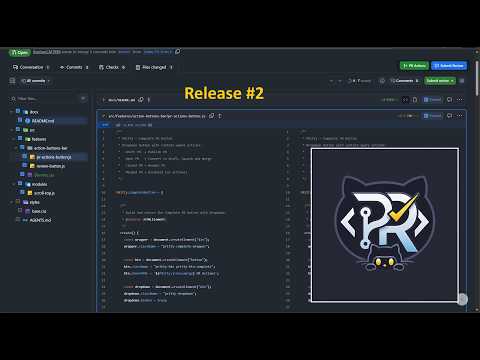
PRitty: Enhanced GitHub PR UI & Quick Actions Bring the Azure DevOps PR Experience to GitHub. Love the GitHub ecosystem but miss the streamlined Pull Request UI of Azure DevOps? PRitty bridges that gap, bringing a high-productivity workflow directly to your GitHub PR pages. Watch It in Action: See PRitty's features in action with our walkthrough videos: ▶ Part 1 - Core Features & Quick Actions: https://www.youtube.com/watch?v=RJUcPGncgFQ ▶ Part 2 - New Features & Conflict Highlighting: https://www.youtube.com/watch?v=4yEGQGjleqo Key Features: - Quick Actions Bar: Merge, Approve, Comment, and Request Changes — always visible across all PR tabs. - Approve PR Shortcut: One-click approve directly from the action bar without opening GitHub's review dialog. - Conflict Highlighting: Merge conflicts are visually highlighted with background colors for instant identification. - Azure DevOps Build Re-Run: Trigger CI/CD re-runs directly from the PR page — just like Azure DevOps. - Split Diff Resizer: Drag to resize the split diff view in the File Changes tab for comfortable code review. - Repo Branch Navigation: Quick-access branch tab at the repository level for easy branch switching. - Comment Preview: Improved markdown comment preview in the File Changes tab. - Diff Navigation Buttons: Jump between changes within a file with dedicated navigation buttons. - File Tree Enhancements: Current file highlighted in the tree, checkbox support, and click-to-expand. - Configurable Action Bar: Choose which buttons appear in the floating action bar via extension settings. - Remove "Start a Review" Button: Optionally hide GitHub's "Start a Review" button (configurable in settings). - Enhanced Conversation Tab: Reordered timeline, extra PR info, and sorting options. - Scroll to Top: Quick scroll button for long PR pages. Open Source: PRitty is free and open source under the MIT License. Contributions, issues, and feature requests are welcome! GitHub: https://github.com/RoshanCM1998/PRitty Technical Transparency: PRitty is built by developers, for developers. It operates entirely on the client side, interacting directly with the GitHub API from your browser. We do not collect, store, or transmit your data to any external servers. Disclaimer: GitHub and Azure DevOps are trademarks of their respective owners. This extension is an independent project and is not affiliated with, sponsored by, or endorsed by GitHub, Inc. or Microsoft Corporation.
5 out of 52 ratings
Details
- Version1.3.11
- UpdatedJune 30, 2026
- Offered byroshanmakadia
- Size85.86KiB
- LanguagesEnglish
- DeveloperRoshankumar Chimanlal Makadia
C 502, Maighar Residency, Behind New ISRO Near DPS School, Bopal Ahmedabad, Gujarat, India, Gujarat 380058 INEmail
roshanmakadia@gmail.com - Non-traderThis developer has not identified itself as a trader. For consumers in the European Union, please note that consumer rights do not apply to contracts between you and this developer.
Privacy

This developer declares that your data is
- Not being sold to third parties, outside of the approved use cases
- Not being used or transferred for purposes that are unrelated to the item's core functionality
- Not being used or transferred to determine creditworthiness or for lending purposes
Support
For help with questions, suggestions, or problems, please open this page on your desktop browser