

WebWell — Daily Browser Monitor

Overview
A calm new tab with focus timer, music, site blocking and private screen-time tracking. Your data stays on your device.
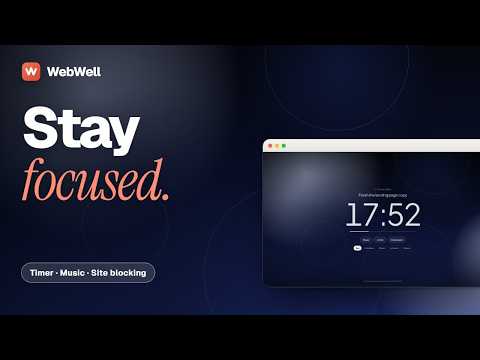
WEBWELL – A CALMER NEW TAB FOR FOCUSED DAYS WebWell is a calm, productivity-focused new tab extension for Chrome and Brave. It brings together everything you need to stay focused: a beautiful clock, daily goals, tasks, a focus timer with music, website blocking, and meaningful insights into how you spend your time. Your browsing data stays on your device. No account required. No ads. No tracking. WebWell is free and open source. An optional one-time purchase of WebWell Plus ($10) unlocks additional features. Everything available for free today will remain free. WHAT YOU GET, FREE A CALM NEW TAB • A large clock, personalized greeting, daily focus, tasks, and quick links. • A beautiful landmark photograph that changes daily. • Save any webpage directly to your new tab using the bookmark button in the toolbar popup. FOCUS SESSIONS • Full-screen focus timer with calming sounds. • Automatically block websites you've marked as distracting until your session ends. MUSIC & SOUNDS • Spotify (through Spotify's own player) and SoundCloud integration. • Lofi radio, offline rain, soft noise, and ocean wave sounds. • Save your favorite songs with the heart button. SCREEN-TIME INSIGHTS • Track time spent on individual websites. • Daily productivity scores, streaks, and 24-hour activity patterns. • Only your active tab counts, and tracking pauses when you're idle. • Keeps your last 120 days of history. PROTECT & STAY MINDFUL • Adult-content filtering. • Short-video blocking for YouTube Shorts, Instagram Reels, TikTok, and more. • Custom website blocklist. • A mindful pause before opening distracting websites. • Parent PIN protection. DAILY LIMITS & REMINDERS • Set daily website usage limits. • Receive gentle alerts when you reach your limits. YOUR DATA, YOUR CONTROL • Export, import, or reset your data anytime from Settings. ASK WEBWELL (OPTIONAL) • Chat with your own productivity statistics using your personal Google Gemini API key. WEBWELL PLUS – OPTIONAL UPGRADE WebWell Plus is a one-time purchase of $10. No subscription, no recurring payments, and no account required. You can continue using the entire free version without ever purchasing Plus. WHAT'S INCLUDED IN PLUS? ADVANCED BLOCKING & FOCUS • Block Schedules: Automatically block distracting websites on a schedule, such as weekdays from 9 AM to 5 PM. • Strict Focus Mode: Prevent ending a focus session early, with an emergency exit available. • Intent Check: State why you're visiting a blocked website before accessing it. • Earn Your Break: Earn minutes of access to blocked websites for every completed focus session. DEEPER PRODUCTIVITY INSIGHTS • Weekly and monthly reports with trends and comparisons. • Unlimited activity history (the free version keeps 120 days). • CSV export and print-to-PDF reports. PERSONALIZED FOCUS EXPERIENCE • Focus presets for studying, deep work, and winding down. • Sound Mixer: Layer rain, café ambience, fire, waves, and more, with individual volume controls. • Additional themes, backgrounds, and clock styles. • Focus garden and streak tracking. AI WEEKLY COACH • Get a personalized weekly productivity plan based on your own activity statistics. • Uses your personal Google AI API key. • Only a short summary of your statistics is sent, and only when you explicitly request it. HOW PLUS IS SOLD & UNLOCKED WebWell is independently developed and sold by Adnan Khan. Google is not the seller. • Payment: Processed securely by Paddle, the merchant of record, through https://webwell.app/plus. Payments are not handled inside the browser extension. • Your Payment Details: WebWell never receives or stores your card information. • License Delivery: After purchase, your license key is sent to your email. • Activation: Simply paste your license key into WebWell under Dashboard → Plus. • Offline Verification: Your license key is verified locally inside the extension. No data is sent anywhere to unlock Plus. LEGAL & REFUND INFORMATION Terms of Service: https://webwell.app/terms Refund Policy: https://webwell.app/refund PRIVACY & PERMISSIONS, EXPLAINED WebWell is built around privacy. Your browsing activity, statistics, settings, and saved songs stay in your browser's local storage. There are no WebWell servers receiving your browsing data. INSTALLATION PERMISSION Chrome's installation prompt displays one permission: "Change the page you see when you open a new tab." This is required because WebWell replaces your default new tab page. OPTIONAL PERMISSIONS Everything else is optional and requested only when you enable the relevant feature. • Screen-Time Tracking (Tabs, Web Navigation & Site Icons): Allows WebWell to identify the website in your active tab and calculate your screen time. Chrome may describe this permission as "read your browsing history." All processing happens locally on your device. If you don't enable it, screen-time statistics won't be available, but your timer, music, tasks, and backgrounds will continue to work. • Notifications: Used only for focus reminders and daily usage-limit alerts. • Access to All Websites: Required only when you enable website blocking or short-video filtering. • SoundCloud & Spotify: Used only when you choose to play music through these services. • Google AI: Required only when you use the optional AI chat or Plus Weekly Coach with your own API key. WHAT WEBWELL COLLECTS WebWell records website names and time spent on them. It does not collect full website addresses, page titles, or page content. • Your data stays in your browser's local storage. • No account or registration is required. • No browsing data is sent to WebWell servers. • Uninstalling WebWell deletes the data it has stored. • No remote code: all extension code is included in the published package. OPEN SOURCE WebWell is open source and released under the MIT License. You can inspect the source code, understand how it works, and contribute to its development. GitHub: https://github.com/Adnan705/webwell SUPPORT & CONTACT Website: https://webwell.app Email: info.adnanak@gmail.com Privacy Policy: https://webwell.app/privacy
5 out of 55 ratings
Details
- Version1.9.0
- UpdatedOctober 30, 2026
- FeaturesOffers in-app purchases
- Size12.0MiB
- LanguagesEnglish
- DeveloperWebsite
Email
info.adnanak@gmail.com - Non-traderThis developer has not identified itself as a trader. For consumers in the European Union, please note that consumer rights do not apply to contracts between you and this developer.
Privacy

WebWell — Daily Browser Monitor has disclosed the following information regarding the collection and usage of your data. More detailed information can be found in the developer's privacy policy.
WebWell — Daily Browser Monitor handles the following:
This developer declares that your data is
- Not being sold to third parties, outside of the approved use cases
- Not being used or transferred for purposes that are unrelated to the item's core functionality
- Not being used or transferred to determine creditworthiness or for lending purposes
Support
For help with questions, suggestions, or problems, visit the developer's support site