

PageSnap - Full Page Screenshot & Scrolling Screen Capture

Overview
Full page screenshot of any webpage in one click: scrolling screen capture. Edit, blur, copy text, save as PNG, JPG, PDF. Free.
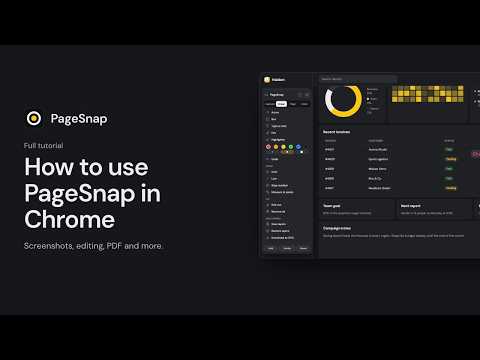
Take a full page screenshot of any webpage in one click. PageSnap scrolls the entire page for you and captures the whole page as one image, from top to bottom. Then edit it, blur private details, copy its text and save it as PNG, JPG or PDF. Free, no account, no watermark, and nothing is uploaded. It works where other screenshot tools stop: long chats that scroll inside a panel (WhatsApp Web, Telegram, Slack, ChatGPT), pages with sticky headers, and pages with lazy-loaded images. Use it as a scrolling screenshot tool, a long screenshot maker or a simple screen capture for the visible part. FULL PAGE SCREEN CAPTURE • Screenshot the whole page, the visible part, a selected area or one element • Scrolling capture of entire webpages and long chats • Fixed headers appear once instead of repeating • Waits for lazy-loaded images and fonts • Timer, keyboard shortcut (Alt+Shift+P) and right-click menu EDIT YOUR SCREENSHOT • Arrows, boxes, text, highlights, numbered steps and pictures • Blur or cover private details, with one-click blur for emails and phone numbers • Crop, undo and redo • Add a background and a browser frame for sharing COPY AND EXPORT • Copy text from a screenshot with built-in OCR (English, Arabic, French, Spanish, Hindi) • Save as PNG, JPG or PDF, with clickable links kept in the PDF • Export text to Word and tables to Excel, or copy the page as Markdown PAGE TOOLBOX Click the PageSnap button on any website and a slim tool strip opens on the page. • Draw on the page, edit its words, hide parts of it and measure in pixels • Pick colours from the screen and copy their codes • Reload the page and the real website is back MORE TOOLS • PDF pages: merge, split, rotate and reorder • Spreadsheet and document editors for .xlsx, CSV and .docx files • QR code maker • SEO and speed check for the page you are on • Optional ad blocker, off until you turn it on • Bulkmail: send a personal email to everyone on an Excel or CSV list from your own Gmail, with templates, scheduling and follow-ups PRIVATE BY DESIGN • No account. Screenshots and edits stay on your computer • Bulkmail sends from your own Gmail. Company email (SMTP), uploaded email logos and tracked QR codes use the PageSnap service, as the privacy policy explains • Light and dark themes • Works in Google Chrome and Microsoft Edge, in 53 languages that follow your browser language; some newer tools are still in English Free online tools without installing: https://fullpagesnap.com/website-screenshot Questions or ideas? Visit https://fullpagesnap.com or write to info@fullpagesnap.com.
5 out of 58 ratings
Details
- Version1.3.7
- UpdatedNovember 16, 2026
- Size20.95MiB
- Languages53 languages
- DeveloperAthul HareendranWebsite
Thrikkunnappuzha P.O, Alappuzha, Kerala Valsala Bhavanam Karthikappally, Kerala 690515 INEmail
athulhareendran@gmail.comPhone
+91 94460 43053 - TraderThis developer has identified itself as a trader per the definition from the European Union and committed to only offer products or services that comply with EU laws.
Privacy

This developer declares that your data is
- Not being sold to third parties, outside of the approved use cases
- Not being used or transferred for purposes that are unrelated to the item's core functionality
- Not being used or transferred to determine creditworthiness or for lending purposes
Support
For help with questions, suggestions, or problems, visit the developer's support site