

DuoLines - Interlinear Dual Language Creator and Translator

Overview
Translate web pages with interlinear dual-language display. Create bilingual text on any site and learn languages reading in context
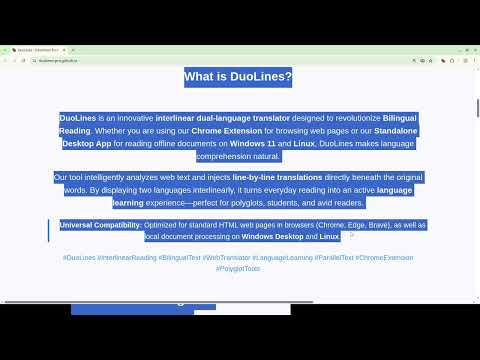
DUOLINES: INTERLINEAR DUAL LANGUAGE CREATOR DuoLines is a powerful, lightweight browser extension designed to transform your web reading experience into an immersive language-learning journey. By creating an interlinear, dual-language display on any website, DuoLines allows you to see the original text and its translation simultaneously, helping you understand context, grammar, and vocabulary in real-time. Whether you are a language enthusiast, a student, or a professional working with foreign content, DuoLines bridges the gap between manual translation and natural reading. --- WHY CHOOSE DUOLINES? --- Unlike standard page translators that replace the original text, DuoLines preserves the source language and places the translation directly beneath or alongside it. This "interlinear" method is one of the most effective ways to learn a language, as it forces the brain to associate foreign words with their meanings without losing the flow of the article. --- KEY FEATURES --- ● INTERLINEAR DUAL-LANGUAGE DISPLAY Experience total immersion. Translate selected text or entire sections while keeping the original layout. This side-by-side or line-by-line comparison is perfect for practicing any new language. ● UNIVERSAL COMPATIBILITY DuoLines works seamlessly across the web. Whether you are reading news, blog posts, or documentation, you can generate bilingual text on any site instantly. ● COMPLETE MULTILINGUAL SUPPORT Leverage the full power of Google Translate. DuoLines supports all major global languages and rare dialects, allowing you to translate from and to any supported language with ease. ● SMART SELECTION & CONTEXT MENU Simply highlight any text on a page, right-click, and select "Translate with DuoLines." The extension will process your selection and display the dual-language result in a dedicated, clean popup interface. ● PERSONAL INTEGRATION & UNLIMITED SCALING While DuoLines comes with built-in capabilities, it offers a unique "Personal Key" feature. By connecting your own Google Apps Script (code provided inside the extension), you can bypass public API limits and enjoy a completely independent, high-volume translation experience. ● REAL-TIME PROGRESS TRACKING For longer texts, DuoLines features a live progress bar. Watch the translation happen chunk by chunk, ensuring you’re never left wondering when the process will finish. ● MODERN & ADAPTIVE UI Customize your experience with a sleek interface that supports both Light and Dark modes. The design is built to be non-intrusive and highly functional. ● PRIVACY-FIRST ARCHITECTURE Your data belongs to you. DuoLines processes translations through secure channels, and your personal settings are stored locally or synced via your secure browser profile. --- ADVANCED TECHNICAL FEATURES (v2.0.0) --- - Manifest V3 Compliant: Built on the latest Chrome standards for better security and performance. - Optimized Background Processing: Uses service workers and batch processing to handle text without slowing down your browser. - Customizable Delays: Fine-tune the translation speed to avoid rate limits. - Export-Ready: The translation popup is designed so you can easily select all (Ctrl+A) and copy (Ctrl+C) the bilingual results directly into Word, Notion, or Anki. --- HOW TO USE --- Install & Pin: Add DuoLines to your browser and pin it for quick access. Highlight & Click: Select any text on a webpage that you want to read in two languages. Right-Click: Choose "Translate with DuoLines" from the context menu. Read & Learn: A window will appear showing the original lines followed by their translations. (Optional) Pro Setup: Go to the Options page to set up your own Google Apps Script for unlimited, private translations. --- PERFECT FOR --- Language Learners: Moving from textbooks to real-world content. Expats: Navigating local news and government websites. Researchers: Reading international papers while maintaining the integrity of the original source. Transform the way you read the web. Download DuoLines today and start reading without borders!
1 out of 51 rating
Details
- Version2.0.0
- UpdatedApril 18, 2026
- Size67.01KiB
- LanguagesEnglish
- DeveloperWebsite
Email
duosubmail@gmail.com - Non-traderThis developer has not identified itself as a trader. For consumers in the European Union, please note that consumer rights do not apply to contracts between you and this developer.
Privacy

DuoLines - Interlinear Dual Language Creator and Translator has disclosed the following information regarding the collection and usage of your data. More detailed information can be found in the developer's privacy policy.
DuoLines - Interlinear Dual Language Creator and Translator handles the following:
This developer declares that your data is
- Not being sold to third parties, outside of the approved use cases
- Not being used or transferred for purposes that are unrelated to the item's core functionality
- Not being used or transferred to determine creditworthiness or for lending purposes
Support
For help with questions, suggestions, or problems, please open this page on your desktop browser