

StepCrumb

Overview
Click through any task once. Get a step-by-step guide, SOP, training and a narrated video. Private: all saved on your computer.
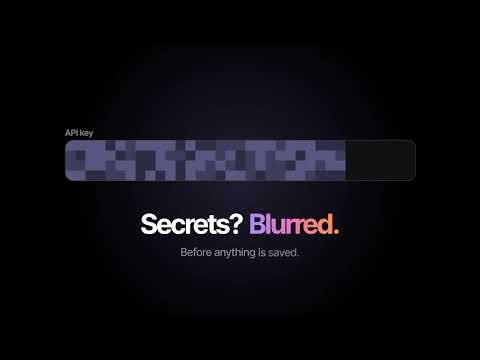
Show it once. Explain it forever. Click through any task in your browser and StepCrumb turns it into a step-by-step guide with screenshots, a standard operating procedure (SOP), a training module and a narrated video. No account, no uploads: everything is saved on your computer. HOW IT WORKS 1. Click the StepCrumb icon and choose Screenshots, Screenshots + video, or Video only. 2. Do the task as you normally would. 3. Press Finish. Your guide is ready to edit and share. STEP-BY-STEP GUIDES • Every click, typed value, dropdown choice and Enter press becomes a step with a written instruction, like: Click the "Save" button. • Screenshots zoom in on what you clicked, with a highlight and a small full-page thumbnail, so field names and values are readable. • Passwords, card numbers and other secret fields are blurred automatically, before anything is saved. Their values never appear in the text. • Edit, reorder, add tips and warnings, and annotate with boxes, arrows, labels, numbers, blur and spotlight. SOPs AND TRAINING • Turn any guide into an SOP (purpose, scope, prerequisites, procedure, expected result, revision history). • Or a training module (objectives, walkthrough, practice checklist, quiz, quick reference). NARRATED VIDEO • Record a tab, a window or your whole screen alongside the steps. • Auto-zoom follows your clicks, with a smooth cursor and click ripples. • Captions from your steps, burned in, plus .srt and .vtt subtitle files. • A free, natural voiceover generated on your computer. No per-minute fees. EXPORT • PDF on the free plan. With Pro: Word (.docx), HTML and Markdown, PDFs without branding, 1080p video without a watermark, any length, all voices and backgrounds. PRIVATE BY DESIGN • No account or sign-up. • Guides, screenshots, recordings and voiceovers are stored in your browser, on your computer. They are never sent to us or anyone else. • StepCrumb only goes online to check a Pro license key (with our payment provider, Polar) and once to download the free voice model. FREE AND PRO StepCrumb is free to use, with unlimited guides. Pro is a one-time Lifetime license (limited to the first 1,000 buyers) or a monthly or yearly subscription. Each license works on 2 computers. See stepcrumb.com. Works in Chrome and Microsoft Edge on Windows, Mac, Linux and ChromeOS. Shortcut: Alt+Shift+R. Questions? hello@stepcrumb.com
0 out of 5No ratings
Details
- Version1.0.1
- UpdatedNovember 7, 2026
- FeaturesOffers in-app purchases
- Offered bysharuquemoideen
- Size6.72MiB
- LanguagesEnglish
- DeveloperSharuque Moideen Kadambot Mohamed Najib Kadambof
Email
sharuquemoideen@gmail.comPhone
+971 58 584 3661 - TraderThis developer has identified itself as a trader per the definition from the European Union and committed to only offer products or services that comply with EU laws.
Privacy

This developer declares that your data is
- Not being sold to third parties, outside of the approved use cases
- Not being used or transferred for purposes that are unrelated to the item's core functionality
- Not being used or transferred to determine creditworthiness or for lending purposes