


Overview
Language learning overlay for streaming video content
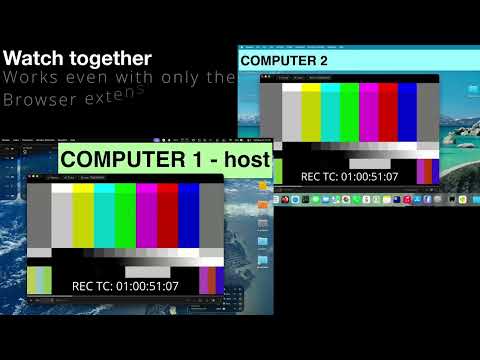
mLearn is a free, source-available language immersion app. This extension connects your browser to the mLearn desktop app and turns the videos and web pages you already use into study material. It detects video players and subtitle tracks on any site (YouTube, Netflix, and generic HTML5 players) and syncs them with mLearn's interactive overlay in real time. mLearn tracks every word you encounter and builds a model of what you know, so lookups, reviews, and the AI tutor adapt to your level. FEATURES • Interactive subtitle overlay: click any word for instant definitions, readings, and examples • Per-word color coding: part of speech, frequency, and pitch accent coloring, with reading annotations that hide as words become known • One-click flashcards: sentence-mining cards with screenshots and audio, review with built-in SRS or Anki sync • Word tracking: known/learning status follows you across videos and pages • Playback control: skip ±5s, play/pause, and resync from the extension popup • Works everywhere: YouTube, Netflix, and any HTML5 video or text on the web HOW IT WORKS 1. Install the free mLearn desktop app from https://mlearn.kikan.net 2. Install this extension and open any video page 3. Click the mLearn icon: the popup shows connection status and playback controls 4. Press "Open Overlay" to launch the interactive learning overlay Apart from optional Watch Together sessions (see privacy policy), the extension communicates only with the mLearn app running on your own machine. Works offline. Desktop for Windows, macOS and Linux; PWA for mobile. Source-available (SUL 1.0): https://github.com/adrianvla/mLearn
0 out of 5No ratings
Details
- Version1.0.2
- UpdatedAugust 4, 2026
- Size49.54KiB
- LanguagesEnglish
- DeveloperWebsite
Email
support@kikan.net - Non-traderThis developer has not identified itself as a trader. For consumers in the European Union, please note that consumer rights do not apply to contracts between you and this developer.
Privacy

mLearn — Language Learning Overlay has disclosed the following information regarding the collection and usage of your data. More detailed information can be found in the developer's privacy policy.
mLearn — Language Learning Overlay handles the following:
This developer declares that your data is
- Not being sold to third parties, outside of the approved use cases
- Not being used or transferred for purposes that are unrelated to the item's core functionality
- Not being used or transferred to determine creditworthiness or for lending purposes
Support
For help with questions, suggestions, or problems, visit the developer's support site