

Paygent

Overview
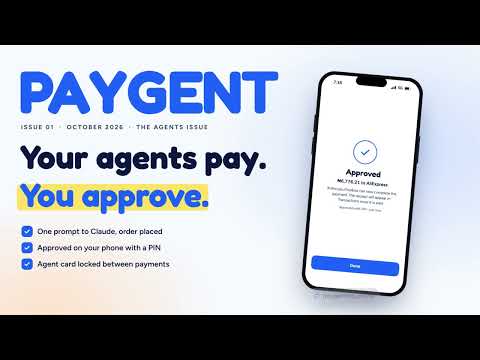
Pays the card checkout your AI agent found, in your own Chrome, with your Paygent agent card, after you approve.
Paygent is a wallet your AI agents pay from, with your approval every time. This extension lets Paygent pay a card checkout that is already open in your own Chrome, so the shop sees your own browser and connection. How it works 1. Link the extension once at paygenthq.online/extension, with your Paygent approval PIN. 2. Your AI agent (such as Claude) shops for you and asks Paygent to pay. You approve the payment on your phone with your PIN. 3. Paygent checks the payment page open in your Chrome: the shop you approved, and that it asks for no more than you approved. Your agent confirms the order. 4. The extension fills in your Paygent agent card, with the name on the card, its billing address and, where the checkout asks, your email and phone, and presses Pay. Your agent is never given the card number. What it does not do • It never opens or navigates a tab: it only works on a payment page you already have open. • It does nothing on a page unless a payment you approved is waiting for it. • It does not collect your browsing history, and nothing is used for advertising. Your Paygent agent card Paygent issues the agent card itself and controls it at all times. Getting one takes an identity check (BVN, ID document and selfie) and your PIN. Between payments the card is suspended with nothing on it; Paygent switches it on and loads it only with the amount you approved, for that one payment, takes back what is left and suspends it again. You are notified each time it is switched on or off. A charge Paygent did not expect locks the card at once, and you can freeze it yourself from your wallet or phone. Paygent keeps only the card's last four digits and expiry, never the full number or security code. If your bank asks for a code, you type it yourself on the payment page. You need a Paygent account (paygenthq.online). Unlink the extension at any time from its popup or from Settings in your wallet.
0 out of 5No ratings
Details
- Version0.5.0
- UpdatedOctober 27, 2026
- Offered byezenwere123@gmail.com
- Size42.15KiB
- LanguagesEnglish
- DeveloperEZENWERE CHIDUBEM KELVIN
13c Hawawu Abikan Chevy View Estate, Lekki Lagos, Lagos 106104 NGEmail
support.paygenthq@gmail.comPhone
+234 810 574 1000 - TraderThis developer has identified itself as a trader per the definition from the European Union and committed to only offer products or services that comply with EU laws.
Privacy

Paygent has disclosed the following information regarding the collection and usage of your data. More detailed information can be found in the developer's privacy policy.
Paygent handles the following:
This developer declares that your data is
- Not being sold to third parties, outside of the approved use cases
- Not being used or transferred for purposes that are unrelated to the item's core functionality
- Not being used or transferred to determine creditworthiness or for lending purposes
Support
For help with questions, suggestions, or problems, visit the developer's support site