


Overview
Make QR codes for the current page or several pinned links and open them on your phone in seconds. No sign-up, no tracking.
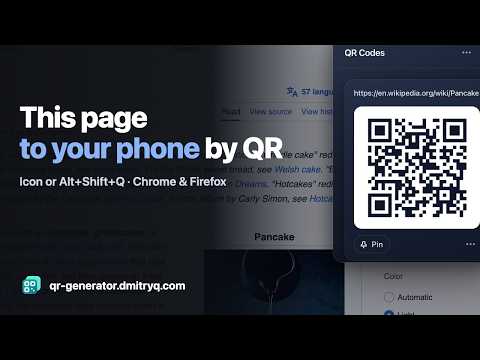
Make a QR code for any page, link or text and open it on your phone in seconds — one at a time or a whole set of tabs. Click the icon (or press Alt+Shift+Q) and the QR code of the current page appears right on the page. Point your phone's camera at it and the page opens. No app, no account, no sending links to yourself. WHAT MAKES IT DIFFERENT • Several links at once: pin pages from different tabs and keep all their QR codes in one list. Move a whole set of tabs to your phone, one scan after another. • Side panel: keep the QR codes in Chrome's side panel while you browse. Turn on "Follow the active tab" and it shows every tab you switch to. The icon remembers whether you prefer the window or the panel. • Right-click anything: "QR code for this link", for an image address or for selected text — an address, a code, a note. • Save or share: download a sharp PNG or copy the QR code image into a document, a slide or a chat. • Easier codes for long URLs: long links make dense codes that cameras struggle with. One click shortens the link via TinyURL, and the card still shows the original address. • Scan the right one: "Show only this QR code" hides the others so the camera can't pick a neighbour. • Always scannable: dark-on-white QR codes in both the light and the dark theme. • Interface in 15 languages. PRIVATE BY DESIGN • No permission warnings on install: the extension sees a page's address only after you click its icon on that page. Following tabs in the side panel is optional and asks first. • No sign-up, no analytics, no ads, no servers. Pins are stored only in your browser. • Nothing leaves your browser unless you press "Shorten link". Then only that one link is sent to TinyURL, after you allow it. GREAT FOR Opening an article, a map, a recipe or a product page on your phone; moving a set of tabs to mobile; sharing a link with someone next to you; putting a QR code on a slide or a printout; checking your website on a real device. TIPS • Change the shortcut at chrome://extensions/shortcuts. • Escape closes the window; your pins stay. Unpinned something by mistake? Press Undo.
0 out of 5No ratings
Details
- Version1.1.0
- UpdatedOctober 28, 2026
- Size93.43KiB
- Languages15 languages
- DeveloperWebsite
Email
korotkin.d@gmail.com - Non-traderThis developer has not identified itself as a trader. For consumers in the European Union, please note that consumer rights do not apply to contracts between you and this developer.
Privacy

This developer declares that your data is
- Not being sold to third parties, outside of the approved use cases
- Not being used or transferred for purposes that are unrelated to the item's core functionality
- Not being used or transferred to determine creditworthiness or for lending purposes
Support
For help with questions, suggestions, or problems, please open this page on your desktop browser