


概述
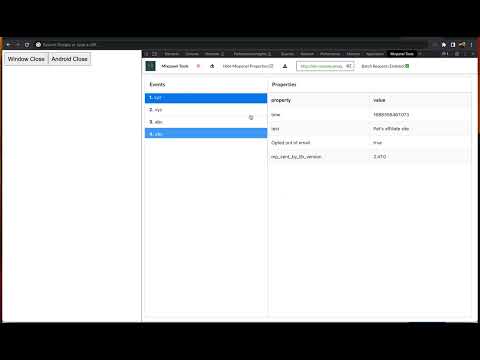
A debugger tool helps to intercept mixpanel events and display event properties
This extension enables the web developers, QA team and others to debug the Mixpanel analytics events calling from the application. Mixpanel tools helps you to find the analytics events & information being sent from the website real-time. ★ Features - Record the mixpanel analytics calls - Hide and show mixpanel properties - Download JSON file of recorded events - Record/Pause Buttons - Included new API changes - GET/POST and BATCHED requests - Included support for self-hosted URLs - Open source - https://github.com/nithincvpoyyil/mixpanel-tools - Added support for api_payload_format - both Base64 & plain JSON ★ How can I use Mixpanel Tools ? Open Chrome DevTools and open mixpanel tab to see the logged events See Youtube video for more details: https://youtu.be/7L3j04TX8J0 ★ Kindly notice, * Mixpanel is registered trademark of https://mixpanel.com * This extension is not collecting any information from the apps * Please read the software licence details in the following link - https://github.com/nithincvpoyyil/mixpanel-tools. * This tool is intended for dev and QA purposes only.
4.9 星(5 星制)10 个评分
详情
隐私权

该开发者已声明,您的数据:
- 不会因未获批准的用途出售给第三方
- 不会为实现与产品核心功能无关的目的而使用或转移
- 不会为确定信用度或放贷目的而使用或转移
支持
若有任何疑问、建议或问题,请在桌面浏览器中打开此页面