

Mimik: Step-by-Step Guides & Tutorials
16 ratings
)
Overview
Record any browser workflow as a step-by-step guide. Edit, voice-narrate, export to video, PDF or DOCX. Local-first, open source.
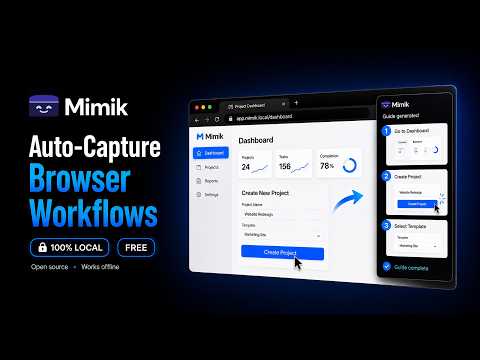
Mimik turns any browser workflow into a step-by-step guide with annotated screenshots. Automatic capture, no manual work. Click "Record," do the thing, and stop. Mimik captures each click and keystroke as a step. Each step has a screenshot, the element you clicked, and a description. Edit, replay, or export. Features - Auto-capture clicks, typing, and navigation. No more writing steps by hand. - Annotated screenshots highlight what you clicked. No cropping, no arrow tools. - Narrate out loud while you record. Mimik turns what you said into the step descriptions. - Optional AI step descriptions and titles (OpenAI, Anthropic, DeepSeek, OpenRouter, or your own endpoint) - Rewrite any step with AI, inline, without leaving the editor. - Edit screenshots: crop, annotate, and redact before you share. - Add headings, notes, and images between steps to shape the guide. - Replay any guide on a live page. Use it for onboarding or step-by-step training. - Export your guide as a document, a web page, or a video. Files are self-contained, ready to share anywhere. - Smart Blur hides emails, phone numbers, and card data before sharing. Private by design - Local by default. Guides, screenshots, and recordings stay in your browser. Nothing is sent to a Mimik server. There is no Mimik server. - No account, no sign-up, no tracking. - Site icons are fetched from Google's favicon service, so the domain of each recorded site is sent there. Nothing else is. - AI is optional. Turn it on with your own key for OpenAI, Anthropic, DeepSeek or OpenRouter, or point it at a compatible server of your own. Requests go from your browser straight to whichever one you picked, never to us. Without a key, Mimik still works. - Voice narration is optional too. If you enable it, audio goes from your browser straight to the transcription provider you chose (OpenAI or Groq), using your own key. Open source Free and MIT-licensed. Source code and issues: https://github.com/westpoint-io/mimik
5 out of 516 ratings
Details
- Version1.3.0
- UpdatedSeptember 30, 2026
- Offered byWestpoint
- Size1.49MiB
- Languages6 languages
- DeveloperWestpoint
10 Orange St London WC2H 7DQ GBEmail
luis.ortiz@westpoint.io - Non-traderThis developer has not identified itself as a trader. For consumers in the European Union, please note that consumer rights do not apply to contracts between you and this developer.
Privacy

Mimik: Step-by-Step Guides & Tutorials has disclosed the following information regarding the collection and usage of your data. More detailed information can be found in the developer's privacy policy.
Mimik: Step-by-Step Guides & Tutorials handles the following:
This developer declares that your data is
- Not being sold to third parties, outside of the approved use cases
- Not being used or transferred for purposes that are unrelated to the item's core functionality
- Not being used or transferred to determine creditworthiness or for lending purposes
Support
For help with questions, suggestions, or problems, visit the developer's support site