


Overview
Tool for importing, editing, grouping, and exporting FW action configurations.
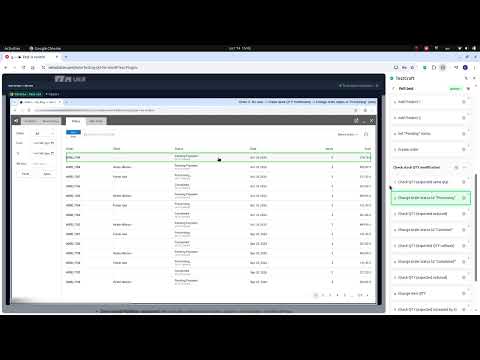
• Stop wasting hours on manual regression testing. Manually testing your web application, e-commerce store, or SaaS across different environments and user flows takes hours - sometimes days. Because manual testing is slow and exhausting, critical bugs slip through to production, leading to broken user flows, lost revenue, and stressed-out teams. Traditional automated testing frameworks like Selenium or Playwright don't solve the problem either. They require endless hours of coding, break easily on minor UI shifts, and generate frustrating false alarms. • MimicQA changes everything. Our lightweight Google Chrome extension bridges the gap between non-technical team members and powerful automated testing. It allows anyone on your team - whether they are a founder, a manual QA specialist, or a customer support manager - to run full-scale functional tests with a single click.
0 out of 5No ratings
Details
- Version1.2.3
- UpdatedOctober 21, 2026
- Size1.27MiB
- LanguagesEnglish
- DeveloperLERUS BG EOODWebsite
3 Ribarska str., Fl. 2, Tsarevo Burgas 8260 BGEmail
support@ukrsolution.comPhone
+359 89 238 4025 - TraderThis developer has identified itself as a trader per the definition from the European Union and committed to only offer products or services that comply with EU laws.
- D-U-N-S848912292
Privacy

This developer declares that your data is
- Not being sold to third parties, outside of the approved use cases
- Not being used or transferred for purposes that are unrelated to the item's core functionality
- Not being used or transferred to determine creditworthiness or for lending purposes
Support
For help with questions, suggestions, or problems, visit the developer's support site