

MidShot – Middle Click Screenshot

Übersicht
No shortcuts. Just muscle memory. Take screenshots with your mouse middle button.
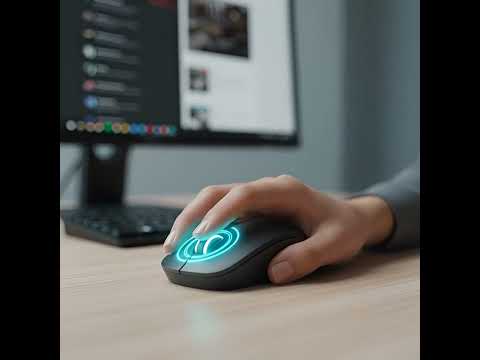
No shortcuts. Just muscle memory. Capture screenshots with a single middle-click. Tired of finger-twisting keyboard shortcuts? Meet MidShot. 🚀 MidShot is the fastest and most intuitive way to capture and share screenshots on the web. We’ve reimagined the screenshot experience by moving it from your keyboard to the one tool you use most: Your Mouse. With MidShot, your scroll wheel button becomes a powerful productivity tool. No more searching for Win+Shift+S or Cmd+Shift+4. Just click, copy, and paste. ✨ Key Features: One-Click Capture: Simply press your mouse middle-wheel to capture the visible area instantly. Instant Clipboard: Your screenshot is automatically copied to your clipboard. No annoying pop-ups, no "Save As" windows. Just Ctrl+V and you're done! Zero Friction UX: Designed for professionals who value flow. Perfect for designers, developers, and researchers. Privacy First: MidShot works 100% locally. We never see your data, and your screenshots never leave your machine. Lightweight & Fast: Zero lag, minimal memory footprint. It’s like it’s part of Chrome. 🖱️ How it works: Click: Press the mouse middle wheel on any webpage. Paste: Go to Slack, Discord, WhatsApp, or any document and press Ctrl+V. Done: You just saved 5 seconds. Now do it again! Who is MidShot for? Developers: Share bug reports or code snippets in seconds. Designers: Collect visual inspiration without breaking your creative flow. Students: Grab info from lectures and paste them directly into your notes. Everyone: Because keyboard shortcuts are so 2010. "Why reach for the keyboard when your finger is already on the mouse?" Install MidShot today and experience the "Muscle Memory" revolution!
0 von 5Keine Bewertungen
Details
- Version1.0.3
- Aktualisiert10. Februar 2026
- Größe37.15KiB
- SprachenEnglish
- Entwickler
E-Mail
info@brlabs.dev - Kein HändlerDieser Entwickler hat sich nicht als Händler deklariert. Für Verbraucher in der Europäischen Union gelten die Verbraucherrechte nicht für Verträge, die zwischen dir und diesem Entwickler geschlossen werden.
Datenschutz

Dieser Entwickler erklärt, dass deine Daten
- nicht an Dritte verkauft werden, außer in den genehmigten Anwendungsfällen
- nicht für Zwecke genutzt oder übertragen werden, die nichts mit der Hauptfunktionalität des Artikels zu tun haben
- nicht zur Ermittlung der Kreditwürdigkeit oder für Darlehenszwecke verwendet oder übertragen werden
Support
Wenn du Probleme, Fragen oder Vorschläge hast, rufe die Supportwebsite des Entwicklers auf