


Overview
Turn any car listing's photos into studio shots. Finds the car's photos, skips logos and ads, and starts a CarShots shoot.
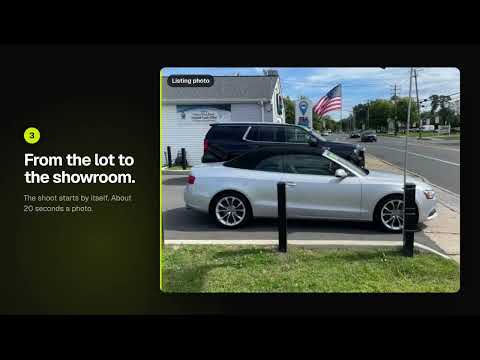
Turn the photos on any car listing into studio-quality photos, in one click. Open a car's listing on your dealer website, a listing site like Autotrader, or any page with one car for sale. Click the CarShots button. CarShots finds every photo of the car, reads its year, make, model, price, miles and VIN, and outlines the photos it will turn into studio shots, right on the page. Click Make studio photos and the car opens in CarShots with its photos and details, and the shoot starts. ONLY THE CAR'S PHOTOS • Finds every photo in the gallery, including the ones that load only when you scroll or swipe, each at its largest size, once. • Leaves out dealer logos, icons, finance banners, ads and the "similar vehicles" strip. • CarShots checks each photo and drops any that show another car or no car at all. • You see exactly which photos will be made, and can click any photo to leave it out or put it back. STUDIO PHOTOS IN ABOUT 20 SECONDS EACH • Clean studio, showroom, outdoor and scenic backdrops. Use the same one on every car so your listings match. • The car is set up for you with its details from the listing. One car per VIN, never a double. • Download the photos or send them to your website and DMS feed from CarShots. WORKS ON • Dealer websites, including sites built on Dealer.com, DealerOn and Dealer Inspire • Listing sites such as Autotrader • Most pages with one car for sale and a photo gallery FREE TO START The extension is free. Making studio photos uses your CarShots photos, and your first car is free, up to 10 photos, with no card needed. Plans are $50 a month for 333 photos, month to month. PRIVATE BY DESIGN The extension does nothing until you click the CarShots button. Then it reads that one page and sends CarShots the page's address, the car's details and its photo addresses. It never reads other tabs, never collects your browsing history and never sells data. An optional setting shows the button on listings by itself; it still sends nothing until you click. Use it on your own inventory, or on photos you have the right to use. Shortcut: Alt+Shift+C Learn more: https://carshots.ai/chrome-extension Privacy policy: https://carshots.ai/chrome-extension/privacy Questions: j@superveloce.net
0 out of 5No ratings
Details
- Version1.0.0
- UpdatedOctober 31, 2026
- Size31.24KiB
- LanguagesEnglish (United States)
- DeveloperPickles Technologies Inc.Website
207 Upper Shad Rd Pound Ridge, NY 10576 USEmail
j@jasonlbaptiste.comPhone
+1 772-801-1058 - TraderThis developer has identified itself as a trader per the definition from the European Union and committed to only offer products or services that comply with EU laws.
- D-U-N-S119284199
Privacy

CarShots: Car Photo Background Changer for Dealers has disclosed the following information regarding the collection and usage of your data. More detailed information can be found in the developer's privacy policy.
CarShots: Car Photo Background Changer for Dealers handles the following:
This developer declares that your data is
- Not being sold to third parties, outside of the approved use cases
- Not being used or transferred for purposes that are unrelated to the item's core functionality
- Not being used or transferred to determine creditworthiness or for lending purposes
Support
For help with questions, suggestions, or problems, visit the developer's support site