

KeepThread — Export & Sync AI Chats to Obsidian & Markdown

Overview
100% local AI chat exporter and lossless Obsidian Vault sync. Clean LaTeX, citations, and Markdown directly on your device.
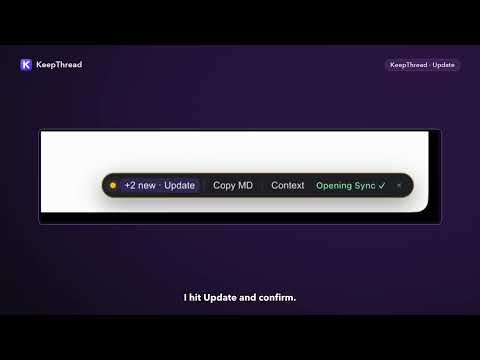
KeepThread turns your AI web conversations into clean, permanent Obsidian notes and Markdown files—100% locally inside your browser. No cloud server storing your prompts. No broad "<all_urls>" permissions. No recurring monthly subscription. KEY FEATURES • Lossless In-Place Obsidian Vault Sync: Link your local Obsidian Vault folder directly via the browser File System Access API. Continue a conversation tomorrow and click Update—KeepThread updates the exact same .md file in-place by conversation ID while automatically preserving your handwritten notes, custom YAML properties, extra #tags, and [[backlinks]]. Zero duplicate files, zero overwritten edits. • Cherry-Pick Turns & Local Image Archiving: Select only the exact Q&A turns worth saving instead of exporting long debugging chatter. Automatically downloads conversation images locally into assets/keepthread/ as ![[...]] embeds so remote image links never expire with 403 errors. • Clean Obsidian-Ready Formatting: - Preserves KaTeX and MathJax LaTeX formulas ($...$ and $$...$$) without duplicated garbled text - Keeps code block language tags while stripping UI copy buttons and line-number gutters - Converts HTML and split sticky-header tables into clean GFM tables while preserving nested lists - Converts inline research citations into Markdown footnotes and a ## Sources section - Wraps reasoning and thinking traces in native Obsidian collapsible callouts (> [!note]- Thinking Process) - Generates structured YAML Frontmatter (title, source, model, conversation_id, url, created, updated, tags) • Obsidian Bases (.base) Dashboard & Offline Search: Automatically maintains an Obsidian 1.9+ AI-Chats.base database view and _AI-Chats-Index.md index note. Search all archived threads offline (Cmd+Shift+K / Ctrl+Shift+K) and copy a structured Context Prompt to continue research in another AI tab. • Live In-Page Sync Pill: A subtle dismissable pill on supported AI chat pages shows Synced ✓ or +N new · Update automatically. SUPPORTED AI WEB APPS • ChatGPT (extracts code cards, tables, and KaTeX math cleanly) • Google Gemini (supports Deep Research threads, thoughts, and math) • Perplexity (converts inline citation pills into Markdown footnotes) • DeepSeek (folds reasoning blocks into collapsible Obsidian callouts) • Grok (cleans response markdown and code blocks) • Kimi (merges sticky-header tables and converts web citations to footnotes) • GLM (supports ChatGLM, BigModel Trial Center, and Z.ai interfaces) 100% LOCAL & ZERO-CLOUD PRIVACY • Zero backend servers: Your conversations remain exclusively on your own machine. • Minimal permissions: KeepThread only activates on the supported AI chat domains declared in the manifest—never on your banking, email, or general browsing tabs. • Verifiable in DevTools: Aside from optional Pro license activation via Dodo Payments, zero bytes leave your browser. PRICING • Free Forever: Unlimited single-thread Markdown downloads & clipboard copies, plus 5 free Lossless Obsidian Vault syncs and a 20-thread local search archive. • Lifetime Pro (One-time purchase, up to 3 devices): Unlimited Lossless Obsidian Vault syncs, unlimited offline search archive, Bulk Sync & ZIP export, and custom folder/filename/frontmatter templates. Guide & FAQ: https://keepthread.jianlanzhiwei.com/guide.html Support: support@jianlanzhiwei.com
0 out of 5No ratings
Details
- Version1.1.1
- UpdatedNovember 21, 2026
- FeaturesOffers in-app purchases
- Size165KiB
- LanguagesEnglish
- Developer杭州见兰知微科技有限公司Website
北干街道太古广场1幢816室(托管4096) 杭州市, 浙江省 311200 CNEmail
support@jianlanzhiwei.comPhone
+86 166 0572 5266 - TraderThis developer has identified itself as a trader per the definition from the European Union and committed to only offer products or services that comply with EU laws.
- D-U-N-S330835335
Privacy

This developer declares that your data is
- Not being sold to third parties, outside of the approved use cases
- Not being used or transferred for purposes that are unrelated to the item's core functionality
- Not being used or transferred to determine creditworthiness or for lending purposes
Support
For help with questions, suggestions, or problems, visit the developer's support site