

Messenger PIN Lock
1 rating
)
Overview
Adds a PIN lock screen to Messenger.com with configurable auto-lock, multilingual support, and a simple privacy-focused interface.
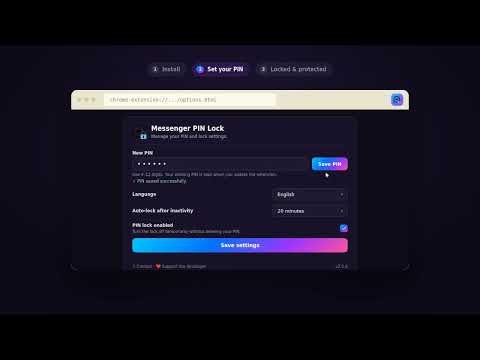
🔒 Messenger PIN Lock Add an extra PIN lock screen to Messenger.com and keep your Messenger session private when you're away from your computer. ✨ Features • PIN protection for Messenger.com • Automatic locking after a selected period of inactivity • Enable or disable the lock whenever you want • Secure PIN storage using a hash • Clean and lightweight interface • English, Polish, German and Spanish • Simple settings and easy PIN management 🔐 Privacy Messenger PIN Lock does not collect or sell your personal data. The extension does not read or store your Messenger messages, contacts or conversations. ⚠️ Important Messenger PIN Lock is an additional browser-level privacy layer. It is not a replacement for your Messenger or Meta account password and should not be considered a security system for your account. ❤️ Support Enjoying Messenger PIN Lock? You can support the project with a small donation. 𝕏 Contact Have a question, suggestion or found a bug? Contact me on X: @ErixonFN1
5 out of 51 rating
Details
- Version2.0.1
- UpdatedSeptember 3, 2026
- Offered byErixon
- Size693KiB
- LanguagesEnglish
- Developer
Email
krystianessa@gmail.com - Non-traderThis developer has not identified itself as a trader. For consumers in the European Union, please note that consumer rights do not apply to contracts between you and this developer.
Privacy

Messenger PIN Lock has disclosed the following information regarding the collection and usage of your data. More detailed information can be found in the developer's privacy policy.
Messenger PIN Lock handles the following:
This developer declares that your data is
- Not being sold to third parties, outside of the approved use cases
- Not being used or transferred for purposes that are unrelated to the item's core functionality
- Not being used or transferred to determine creditworthiness or for lending purposes
Support
For help with questions, suggestions, or problems, please open this page on your desktop browser