


Overview
Custom templates for messages, Gmail, Facebook.
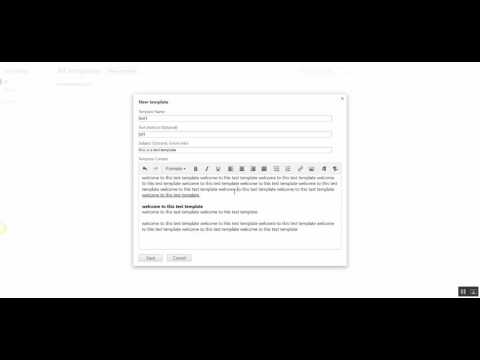
Write emails faster! Increase your productivity with templates and keyboard shortcuts on your favorite email and social media platforms. OrganizedMindClub enables you to save time writing emails by creating your own snippets and templates. Try it now and start writing your emails faster! ★ Keyboard shortcut completion You’re always ending your emails with “Please find the document attached to this email.”? With keyboard completion, you can type att+TAB and get the same result! ★ Create your own templates You find yourself writing repetitive pieces of text in your emails? Make it a template! OrganizedMindClub enables you to create your own templates and shortcuts. So if you write the same content over and over, you now can use a shortcut for it and answer an email within seconds. (The default Search and Insert Template Shortcut is Ctrl+Space but you can easily change it). ★ Template text writing direction Choose your direction! This extension supports both right to left AND left to right text direction. ★ Share templates with your team (FREE) Communication is collaborative by definition. OrganizedMindClub enables you to share templates with your team so when the template changes, everyone is still on the same page. ★ Autocomplete dialog You don’t want to remember your shortcuts? Search and insert templates right inside the Compose box. ★ Supports multiple computers Using multiple computers with the same Google account? No problem! Our tool will sync all of your existing templates with all of your computers. ★ Compatibility This extension is designed to work seamlessly with most major web-based email clients and social networks. Find out more at: http://www.organizedmindclub.com/ Your feedback is welcome at info@organizedmindclub.com Enjoy!
4.1 out of 58 ratings
Details
- Version1.2.4
- UpdatedDecember 6, 2025
- Size471KiB
- LanguagesEnglish
- DeveloperWebsite
Email
support@sosimple.co.il - Non-traderThis developer has not identified itself as a trader. For consumers in the European Union, please note that consumer rights do not apply to contracts between you and this developer.
Privacy

This developer declares that your data is
- Not being sold to third parties, outside of the approved use cases
- Not being used or transferred for purposes that are unrelated to the item's core functionality
- Not being used or transferred to determine creditworthiness or for lending purposes
Support
For help with questions, suggestions, or problems, please open this page on your desktop browser