


Обзор
Просмотр 3D-моделей и CAD-файлов прямо в Chrome. Измеряйте детали и оценивайте вес печати — файлы не покидают компьютер.
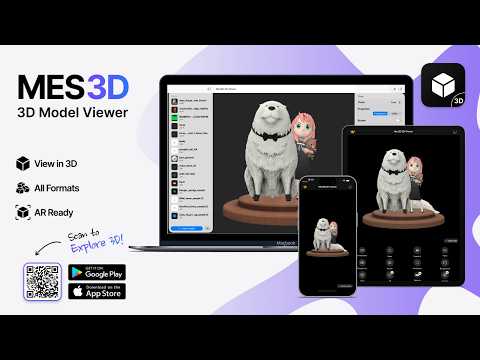
Mes3D opens 3D models in a Chrome tab, so you can check a file before you print it, share it, or open it in your CAD software. Open files your way Drag a file into the viewer, right-click a model link on any web page and choose "Open with Mes3D", or open a model straight from your downloads. Common 3D printing files such as STL and 3MF work, and so do STEP files exported from CAD tools. Look around Rotate, zoom and pan freely, jump to front, top or side views, switch between perspective and orthographic, and turn on wireframe or auto-rotate. Change the background and model color, and save a PNG snapshot. Check it before you print See the model's dimensions, measure the distance between any two points, and get its volume and estimated weight for common filaments and resin. Mes3D also checks whether the mesh is watertight and how much of it overhangs. Private by design Files are opened on your computer and never uploaded. There's no account, no ads and no tracking. Mes3D is also available at freestlviewer.com and as an app for iOS and Android.
Подробности
- Версия1.0.1
- Обновлено27 сентября 2026 г.
- Размер3.55MiB
- ЯзыкиПоддерживаемых языков: 11
- РазработчикONNEX YAZILIM ANONIM SIRKETIСайт
YUSUF APARTMANI D:3, NO:59 SIRINTEPE MAHALLESI OZKURT SOKAK, TEPEBASI Eskisehir, Eskişehir 26190 TRЭлектронная почта
yusuf@onnex.coТелефон
+90 554 526 92 31 - ПродавецЭтот разработчик заявил, что является продавцом согласно определению Европейского Союза, и взял на себя обязательство предлагать только товары и услуги, соответствующие законодательству ЕС.
- D-U-N-S520017659
Конфиденциальность

Этот разработчик утверждает, что ваши данные:
- Не продаются третьим лицам, за исключением разрешенных вариантов использования
- Не используются и не передаются в целях, не связанных с работой основных функций продукта
- Не используются и не передаются для определения платежеспособности или в целях кредитования


