


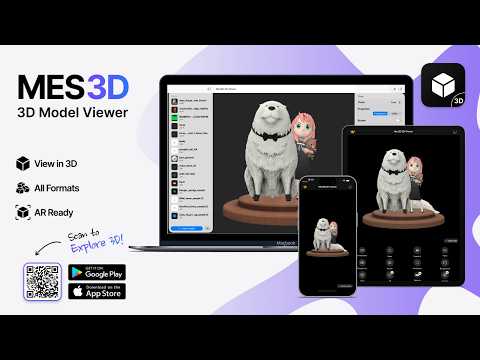
Descripción general
Visualiza modelos 3D y archivos CAD en Chrome. Mide piezas y calcula el peso de impresión; tus archivos no salen de tu equipo.
Mes3D opens 3D models in a Chrome tab, so you can check a file before you print it, share it, or open it in your CAD software. Open files your way Drag a file into the viewer, right-click a model link on any web page and choose "Open with Mes3D", or open a model straight from your downloads. Common 3D printing files such as STL and 3MF work, and so do STEP files exported from CAD tools. Look around Rotate, zoom and pan freely, jump to front, top or side views, switch between perspective and orthographic, and turn on wireframe or auto-rotate. Change the background and model color, and save a PNG snapshot. Check it before you print See the model's dimensions, measure the distance between any two points, and get its volume and estimated weight for common filaments and resin. Mes3D also checks whether the mesh is watertight and how much of it overhangs. Private by design Files are opened on your computer and never uploaded. There's no account, no ads and no tracking. Mes3D is also available at freestlviewer.com and as an app for iOS and Android.
Detalles
- Versión1.0.1
- Actualizado27 de septiembre de 2026
- Tamaño3.55MiB
- Idiomas11 idiomas
- DesarrolladorONNEX YAZILIM ANONIM SIRKETISitio web
YUSUF APARTMANI D:3, NO:59 SIRINTEPE MAHALLESI OZKURT SOKAK, TEPEBASI Eskisehir, Eskişehir 26190 TRCorreo electrónico
yusuf@onnex.coTeléfono
+90 554 526 92 31 - OperadorEste desarrollador se ha identificado como operador según la definición de la Unión Europea y se ha comprometido a ofrecer solo productos o servicios que cumplan las leyes de la UE.
- D-U-N-S520017659
Privacidad

Este desarrollador declara que tus datos:
- No se venden a terceros, excepto en los casos de uso aprobados
- No se usan ni se transfieren para fines no relacionados con la función principal del elemento.
- No se usan ni se transfieren para determinar la situación crediticia ni para ofrecer préstamos.


