


نظرة عامة
اعرض النماذج ثلاثية الأبعاد وملفات CAD في Chrome مباشرةً. قِس القطع وقدّر وزن الطباعة، وتبقى ملفاتك على جهازك.
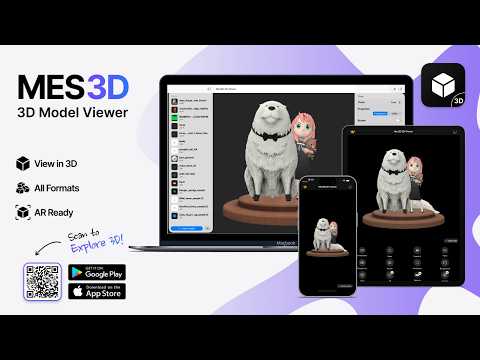
Mes3D opens 3D models in a Chrome tab, so you can check a file before you print it, share it, or open it in your CAD software. Open files your way Drag a file into the viewer, right-click a model link on any web page and choose "Open with Mes3D", or open a model straight from your downloads. Common 3D printing files such as STL and 3MF work, and so do STEP files exported from CAD tools. Look around Rotate, zoom and pan freely, jump to front, top or side views, switch between perspective and orthographic, and turn on wireframe or auto-rotate. Change the background and model color, and save a PNG snapshot. Check it before you print See the model's dimensions, measure the distance between any two points, and get its volume and estimated weight for common filaments and resin. Mes3D also checks whether the mesh is watertight and how much of it overhangs. Private by design Files are opened on your computer and never uploaded. There's no account, no ads and no tracking. Mes3D is also available at freestlviewer.com and as an app for iOS and Android.
التفاصيل
- الإصدار1.0.1
- تم التحديث27 سبتمبر 2026
- الحجم3.55MiB
- اللغات11 لغة
- مطوّر برامجONNEX YAZILIM ANONIM SIRKETIموقع إلكتروني
YUSUF APARTMANI D:3, NO:59 SIRINTEPE MAHALLESI OZKURT SOKAK, TEPEBASI Eskisehir, Eskişehir 26190 TRالبريد الإلكتروني
yusuf@onnex.coهاتف
+90 554 526 92 31 - تاجريُعرِّف هذا المطوّر نفسه بصفته جهة تجارية بموجب التعريف الصادر عن الاتحاد الأوروبي، ويلتزم بتقديم منتجات أو خدمات تلتزم بالقوانين المتّبعة في الاتحاد الأوروبي.
- نظام ترقيم البيانات العالمي (DUNS)520017659
الخصوصية

يُقِرّ هذا المطوِّر بأنّ بياناتك:
- لا يتم بيعها لأطراف ثالثة خارج إطار حالات الاستخدام المُتفَق عليها.
- لا تُستخدَم أو تُنقَل لأغراض غير متعلِّقة بالوظيفة الرئيسية للعنصر.
- لا تُستخدَم أو تُنقَل لتحديد الأهلية الائتمانية أو لأغراض الإعارة.


