

MenuCraft Ultra: High-Speed Context Tool

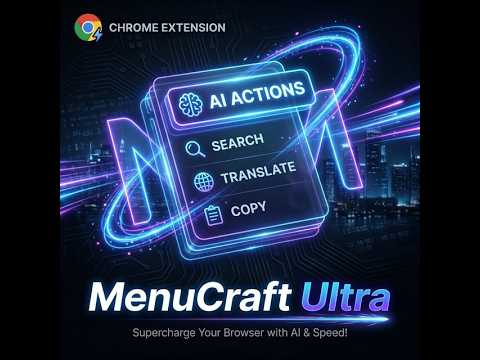
Overview
The ultimate customizable context menu manager for high-speed search, AI assistant, and productivity shortcuts.
🚀 Better Context Menu: Supercharge Your Right-Click Tired of the endless "Copy -> Open New Tab -> Search -> Paste" cycle? Better Context Menu transforms tedious tasks into a single right-click. 🎯 Productivity Scenarios for Every Workflow 🛍️ Smart Shopping: Spot a product on Amazon? Right-click to instantly check prices on eBay, Newegg, or Walmart without leaving your tab. 🌍 Language & Logic Assistant: Encounter complex jargon or foreign text? Highlight it and let the Minimal AI Bubble provide instant translations or deep-dive explanations right where you are. 💻 Developer’s Shortcut: Debugging a cryptic error? Right-click to search Stack Overflow or GitHub instantly. Better yet, use a custom AI command: "What’s wrong with this snippet?" for a real-time Code Review. 💡 Instant Insights: Facing a "wall of text"? Right-click to "Summarize" and get the 3 core takeaways in seconds via a sleek, non-intrusive popup. 🛠️ Build Your Perfect Menu Like Building Blocks Unlimited Expansion: Simply drop in a URL template (e.g., google.com/search?q=%s) to add any search engine or tool you need. Intelligent Grouping: Organize your tools with sub-menus. Keep Shopping, Research, and Social tools separated and clutter-free. Deep AI Integration: Powered by Gemini and OpenAI. Customize your Prompts to turn the AI into your personal secretary, copy editor, or logic analyzer. Seamless Interaction: Experience the Minimal Mode—a borderless, translucent UI with smooth animations designed to stay out of your way while providing the info you need. 💎 Premium Features & Out-of-the-Box Value Region-Aware Presets: Automatically loads the best tools for your region (Google, Wikipedia, Amazon, Reddit, etc.) upon the first launch. Free Daily AI: Includes 30 free AI requests per day—perfect for standard office and research tasks. Pro Experience: Unlock the permanent Pro badge for access to flagship models (Vision/Long-context support), ultra-smooth animations, and lightning-fast response times. Whether you're a researcher, a student, or a developer, Better Context Menu removes the friction between your tabs and supercharges your browsing efficiency!
5 out of 51 rating
Details
- Version1.1.2
- UpdatedMarch 3, 2026
- FeaturesOffers in-app purchases
- Size379KiB
- LanguagesEnglish (United States)
- Developerqi run dongWebsite
sui ning xian hu zhong xiang 204 hao 徐州市, 江苏省 221200 CNEmail
eugeniapatton24@gmail.comPhone
+86 178 2667 1707 - TraderThis developer has identified itself as a trader per the definition from the European Union and committed to only offer products or services that comply with EU laws.
Privacy

MenuCraft Ultra: High-Speed Context Tool has disclosed the following information regarding the collection and usage of your data. More detailed information can be found in the developer's privacy policy.
MenuCraft Ultra: High-Speed Context Tool handles the following:
This developer declares that your data is
- Not being sold to third parties, outside of the approved use cases
- Not being used or transferred for purposes that are unrelated to the item's core functionality
- Not being used or transferred to determine creditworthiness or for lending purposes
Support
For help with questions, suggestions, or problems, please open this page on your desktop browser