

Memex — Browser Memory

Overview
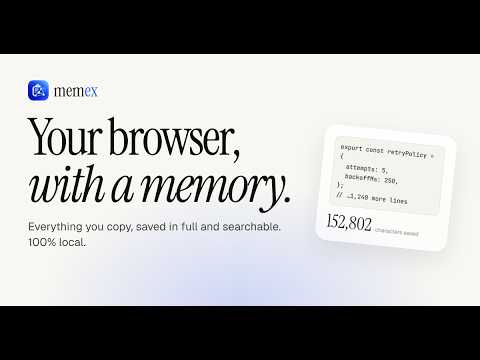
Clipboard memory, notes, and todos. Everything you copy, instantly searchable.
Memex gives your browser a memory. Ever copied a command, a link or a code snippet, then lost it the moment you copied something else? Memex lives in your Microsoft Edge side panel and keeps what matters, your copies, notes and tasks, one shortcut away and searchable in one place. Everything stays on your device. CLIPBOARD MEMORY (you turn it on) • Saves what you copy, including code, links and prompts, with the site it came from and when • Catches page "Copy" buttons too, such as code blocks on developer sites and AI chats • Stores large copies in full, up to 2,000,000 characters per clip • Pin the clips you reuse and paste them again with one click • Off until you enable it; pause any time NOTES • Markdown notes with headings, lists, checklists, quotes and code blocks • Auto-saved as you type, five colours, pinning, grouped by date • Select text on any page, right-click, and choose "Save to Memex Notes" TODOS • Add a task in seconds, set a priority, tick it off • Always see what is remaining and what is done SEARCH EVERYTHING • One search across notes, clips and todos with highlighted matches • Click a result to jump straight to it, or copy it from the results PRIVATE BY DESIGN • 100% local: no account, no servers, no analytics, no ads, no remote code • Never saves anything copied in InPrivate windows, password and card fields, one-time codes, banking, sign-in and checkout pages, private keys, tokens or API keys • "Clear all data" erases everything in one step; removing the extension erases it too KEYBOARD SHORTCUTS Alt+Shift+F search Alt+Shift+N new note Alt+Shift+C clipboard history (change them at edge://extensions/shortcuts) GETTING STARTED 1. Click the Memex icon to open the side panel. 2. Choose Enable if you want clipboard memory. 3. Copy something, then open Memex to find it again. PERMISSIONS EXPLAINED Memex runs on web pages only to notice when you copy text, uses the clipboard to copy items back for you, and uses storage to keep your data on your device. Nothing is ever sent anywhere. Full details are in the privacy policy. Made by an independent developer. Feedback and bug reports are welcome through the support link.
0 out of 5No ratings
Details
- Version1.1.1
- UpdatedOctober 30, 2026
- Offered byme_harshavardhan
- Size88.79KiB
- LanguagesEnglish (United States)
- Developer
Email
mharshavardhan199@gmail.com - Non-traderThis developer has not identified itself as a trader. For consumers in the European Union, please note that consumer rights do not apply to contracts between you and this developer.
Privacy

Memex — Browser Memory has disclosed the following information regarding the collection and usage of your data. More detailed information can be found in the developer's privacy policy.
Memex — Browser Memory handles the following:
This developer declares that your data is
- Not being sold to third parties, outside of the approved use cases
- Not being used or transferred for purposes that are unrelated to the item's core functionality
- Not being used or transferred to determine creditworthiness or for lending purposes
Support
For help with questions, suggestions, or problems, visit the developer's support site