

Meltwater Extension
평점 3개
)
개요
A simple way to tag or add content to your Meltwater account.
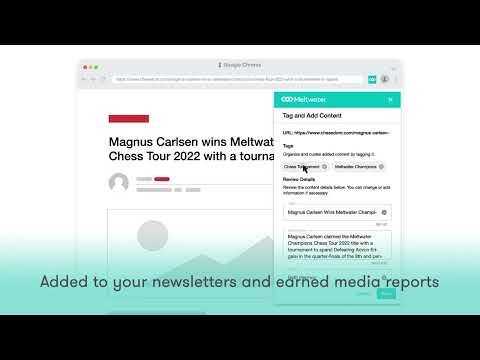
Overview As a Meltwater customer, you can quickly add and organize web content directly into your account, including news articles and social media posts. With one click, add earned media wins, commentary from subscribed newsletters, industry reports, or competitive intelligence into your Meltwater account. Ensure your reports include all pertinent content by adding links directly to your Meltwater searches. How it works: - Anytime you come across a piece of content online that you’d like to add to your Meltwater account, you can easily do so by clicking on the extension icon on your Google Chrome toolbar. - Assign the content to one or more saved searches in order to include it in a report or a newsletter for your stakeholders. If you already use tags to organize content, you can also apply tags directly from the Chrome extension. - Key content fields are pre-filled (e.g., title, description, author name), but you can customize them as necessary. For instance, to spotlight an executive quote, simply copy it into the "Description" field, and it will appear in Meltwater. -Please note: there may be a slight delay before your content is visible in your Meltwater account. How to install: 1. Click “add to chrome.” 2. You can then find the extension by clicking on the puzzle piece icon in the top right corner of your browser’s toolbar. 3. Click the “pin” icon to keep the extension visible and easy to access. Make sure nothing slips through the cracks and capture the full impact of your PR efforts.
5점 만점에 5점평점 3개
세부정보
- 버전4.2.8
- 업데이트됨2025년 11월 11일
- 제공Meltwater
- 크기2.38MiB
- 언어English
- 개발자MELTWATER US HOLDINGS INC.
555 Twin Dolphin Dr Ste 165 Redwood City, CA 94065 US이메일
added.content@meltwater.com전화
+1 310-893-0948 - 판매자개발자가 유럽연합에서 정의한 바에 따라 본인을 판매자로 밝혔으며 EU 법규를 준수하는 제품 또는 서비스만 제공하기로 약정했습니다.
- D-U-N-S799085266
개인정보 보호

Meltwater Extension에서 데이터 수집 및 사용과 관련하여 다음 정보를 공개했습니다. 더 자세한 정보는 개발자의 privacy policy을 참고하세요.
Meltwater Extension 항목은 다음을 처리합니다.
개발자가 사용자 데이터에 관해 다음과 같이 선언했습니다
- 승인된 사용 사례를 제외하고 서드 파티에 판매하지 않음
- 항목의 핵심 기능과 관련 없는 목적으로 사용하거나 전송하지 않음
- 신용도 판단 또는 대출 목적으로 사용하거나 전송하지 않음
지원
질문, 제안 또는 문제와 관련하여 도움이 필요하면 데스크톱 브라우저에서 이 페이지를 여세요.