

MeetingHub: AI Meeting Recorder & Notetaker

Overview
Record, transcribe, and summarize meetings on Google Meet, Teams, Zoom, and Webex.
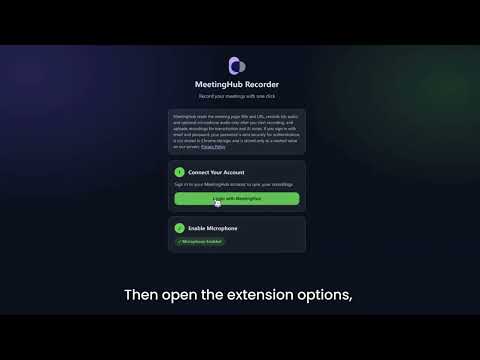
Record any web meeting. Get the transcript, summary, and follow-up—automatically. MeetingHub’s browser extension helps you capture meetings across 19 major platforms. Open a supported meeting, click Record, and MeetingHub handles the rest. 🎯 Core extension benefits: • Detects supported meetings in your browser and reminds you when recording is available • Records with one click—no bots, no extra participants, no workflow disruption • Supports browser-based meetings on Google Meet, Microsoft Teams, Zoom, Webex, and many more • Generates transcripts and AI-powered summaries in 100+ languages • Automatically highlights key topics, decisions, action items, blockers, and risks • Saves everything securely to your MeetingHub account 🧠 Where the real value grows MeetingHub does more than record and store meetings. It turns them into a centralized intelligence hub your team can search, analyze, and learn from. • Chat with your meeting history in natural language • Track recurring topics such as clients, campaigns, projects, and accounts • See progress across meetings instead of searching through scattered notes • Share summaries and transcripts instantly with teammates and stakeholders 📎 Add full context Upload more than live recordings: • PDFs, Word documents, and text files • Offline audio files and exported recordings • Photos of handwritten notes with OCR 👥 Built for teams that need clarity Sales, product, marketing, recruiting, operations, and leadership teams use MeetingHub to keep conversations actionable and accountable. 🔒 Privacy first You decide when recording starts and stops. Recording starts only when you click Record. MeetingHub reads the meeting page title and URL to detect supported meeting pages, records tab audio and optional microphone audio, and uploads recordings to MeetingHub for transcription and AI-generated meeting notes. Recorded meeting content may include participants' voices and spoken communications shared during the meeting. Always use it responsibly and obtain appropriate consent before recording. MeetingHub helps your team remember less—and act faster.
5 out of 52 ratings
Details
- Version1.2.10
- UpdatedAugust 26, 2026
- Size120KiB
- Languages19 languages
- DeveloperTianyi LIWebsite
18 Rue des Jardins Toulouse 31000 FREmail
support@meetinghub.aiPhone
+33 7 67 29 39 09 - TraderThis developer has identified itself as a trader per the definition from the European Union and committed to only offer products or services that comply with EU laws.
Privacy

MeetingHub: AI Meeting Recorder & Notetaker has disclosed the following information regarding the collection and usage of your data. More detailed information can be found in the developer's privacy policy.
MeetingHub: AI Meeting Recorder & Notetaker handles the following:
This developer declares that your data is
- Not being sold to third parties, outside of the approved use cases
- Not being used or transferred for purposes that are unrelated to the item's core functionality
- Not being used or transferred to determine creditworthiness or for lending purposes
Support
For help with questions, suggestions, or problems, visit the developer's support site