

MeetingCost Live – Meeting Cost Tracker
1 rating
)
Overview
See the real dollar cost of any meeting as it happens. Live ticker inside Google Meet, Zoom & Teams.
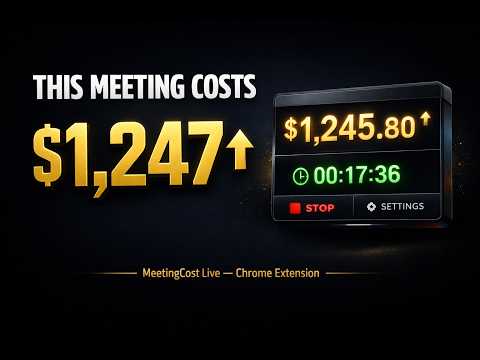
MeetingCost Live shows you the real dollar cost of any meeting as it happens. A live cost ticker climbs every second so you can see exactly what your time together is worth. Open the extension during any video call, set the number of people and an average hourly rate, hit Start, and the number begins climbing. It is the fastest way to make meeting cost visible and keep everyone focused. ─────────────────────── FREE FEATURES ─────────────────────── ▸ Live floating cost ticker on top of your meeting ▸ Set attendees and average hourly rate ▸ Play, pause and reset controls ▸ Cost per minute display ▸ Live elapsed timer ▸ Works instantly with no account or setup required ─────────────────────── HOW IT CALCULATES ─────────────────────── Set the number of people and an average hourly rate. The extension multiplies them and divides by 3600 to get the cost per second, then counts up in real time. 8 people at $75 per hour costs $0.167 every second. After 30 minutes that is $240. ─────────────────────── PRO FEATURES — $14.99 Lifetime ─────────────────────── ▸ By Role Mode — add each job title separately with a headcount and rate for an accurate breakdown. The extension adds them all up automatically. Example: 3 juniors at $50, 1 manager at $150, 1 executive at $250 = $400 per hour combined ▸ Meeting History — every meeting is saved with its total cost, duration and date. Updates the moment you reset the timer ▸ Multi-currency — USD, GBP, EUR, CAD, AUD, JPY and INR ▸ One-time payment — no subscription, no renewals ─────────────────────── HOW BY ROLE MODE WORKS ─────────────────────── Instead of one average rate, you add each role individually. The extension sums the cost of every role and calculates the real total. 3 juniors at $50 + 1 manager at $150 + 1 exec at $250 = $400 per hour = $0.111 per second ─────────────────────── HOW TO USE IT ─────────────────────── 1. Install the free extension from the Chrome Web Store 2. Join any video call in Chrome 3. Click the extension icon in your toolbar 4. Toggle on the Floating Widget 5. Set your attendees and rate 6. Hit Start — watch the cost climb 7. Hit Reset when done — it saves to your history ─────────────────────── PRIVACY ─────────────────────── Everything stays on your device. No meeting content, no audio, no video and no personal data is ever collected or transmitted. The only external contact made is to verify your Pro license key when you enter it manually in Settings. Questions: legendarycreationbyea@gmail.com
5 out of 51 rating
Details
- Version1.0.0
- UpdatedMarch 21, 2026
- Offered byLegendaryCreation
- Size24.09KiB
- LanguagesEnglish
- Developer
Email
legendarycreationbyea@gmail.com - Non-traderThis developer has not identified itself as a trader. For consumers in the European Union, please note that consumer rights do not apply to contracts between you and this developer.
Privacy

MeetingCost Live – Meeting Cost Tracker has disclosed the following information regarding the collection and usage of your data. More detailed information can be found in the developer's privacy policy.
MeetingCost Live – Meeting Cost Tracker handles the following:
This developer declares that your data is
- Not being sold to third parties, outside of the approved use cases
- Not being used or transferred for purposes that are unrelated to the item's core functionality
- Not being used or transferred to determine creditworthiness or for lending purposes
Support
For help with questions, suggestions, or problems, visit the developer's support site