

AI Note taker for Google Meet, by Noty.ai

Overview
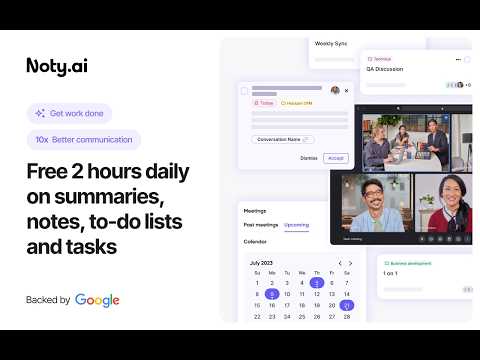
AI note taker for Google Meet. Meeting transcription, automatic summaries, and task tracking, powered by Gemini.
Noty.ai transcribes and summarizes your meetings in real time — no bot joins your call, ever. Works with Google Meet, Zoom, YouTube, online lectures, webinars, and any audio playing in your browser. 98.6% accurate transcription in 88 languages. Powered by Google Gemini. Backed by Google for Startups. Used by 100,000+ professionals, students, and educators worldwide. HOW IT WORKS 1. Install the extension 2. Join any Google Meet or Zoom call (or open any tab with audio) 3. Noty.ai automatically generates real-time transcription, AI summaries, and action items 4. Review, search, and share from your workspace No setup. No bot in your meeting. No awkward "Who is Noty Notetaker?" REAL-TIME TRANSCRIPTION (88 LANGUAGES) - Live transcription as people speak - Speaker identification - Keyword search within any transcript - Time-stamped insights - No bots joining your meeting Perfect for sales calls, team standups, onboarding, HR interviews, research interviews, lectures, seminars, and study groups. AI MEETING SUMMARIES One-click AI summaries powered by Gemini: - Key decisions and next steps - Risks and blockers - Client needs and commitments - Lecture summaries and research insights - Custom summary formats AUTOMATIC ACTION ITEMS Noty.ai detects and extracts tasks, follow-ups, deadlines, client requests, and assignments. Sync to Google Tasks, Gmail, Google Keep, and Docs. SEARCH ACROSS ALL MEETINGS Find anything across your entire meeting history — decisions, requirements, quotes, study materials. A searchable knowledge base built from every conversation. AI ASSISTANT Chat with your meeting data: - Ask questions grounded in your actual meetings - Draft follow-up emails - Generate reports and study summaries - Create documentation from transcripts It's ChatGPT — but connected to your meetings. TRANSCRIBE ANY BROWSER TAB Not just meetings. Transcribe and summarize: - YouTube videos - Online lectures and courses - Podcast episodes - Webinars and live streams - Recorded presentations INTEGRATIONS Google Calendar, Gmail, Google Tasks, Google Docs, Google Keep. Export to PDF, TXT, or Google Drive. WHO USES NOTY.AI? For Work: Sales call notes, product research transcripts, marketing feedback, customer success tracking, HR interviews, legal meeting records. For Education: Lecture transcription, study notes, research interviews, group projects. Students and educators get 90% off — email natalia@noty.ai. SECURITY & PRIVACY No bot joins your meeting — ever. Encrypted transcripts. Never used for AI training. GDPR compliant. Private by default. PLANS Free: 10 meetings/month + 7-day Pro trial Pro: $10/month — unlimited meetings and AI features Pay-as-you-go: $1/hour — no subscription needed EDU / Non-Profit: $25/year (email natalia@noty.ai) Referral: Invite a colleague or classmate, both get 1 week of Pro free. Earn up to 6 months free. Your meetings — captured, summarized, and organized automatically.
4.7 out of 5139 ratings
Details
- Version1.58.23
- UpdatedAugust 3, 2026
- Size1.06MiB
- Languages19 languages
- DeveloperWebsite
Email
volodymyr.lytvynov@noty.ai - Non-traderThis developer has not identified itself as a trader. For consumers in the European Union, please note that consumer rights do not apply to contracts between you and this developer.
Privacy

AI Note taker for Google Meet, by Noty.ai has disclosed the following information regarding the collection and usage of your data. More detailed information can be found in the developer's privacy policy.
AI Note taker for Google Meet, by Noty.ai handles the following:
This developer declares that your data is
- Not being sold to third parties, outside of the approved use cases
- Not being used or transferred for purposes that are unrelated to the item's core functionality
- Not being used or transferred to determine creditworthiness or for lending purposes
Support
For help with questions, suggestions, or problems, please open this page on your desktop browser